The Real Cost of Choosing the Wrong Cloud Architecture | Savishty
The Real Cost of Choosing the Wrong Cloud Architecture
Your cloud application is running. Your servers are online. Users can access your platform, and everything seems to be working fine.
But behind the scenes, your business could be paying for an architectural decision that will become increasingly expensive over time.
Maybe your application cannot scale without adding unnecessary infrastructure. Perhaps your database struggles with growing traffic, your services communicate inefficiently, or your AWS bill keeps increasing without delivering better performance.
The problem might not be your cloud provider.
It might be the cloud architecture you chose in the first place.
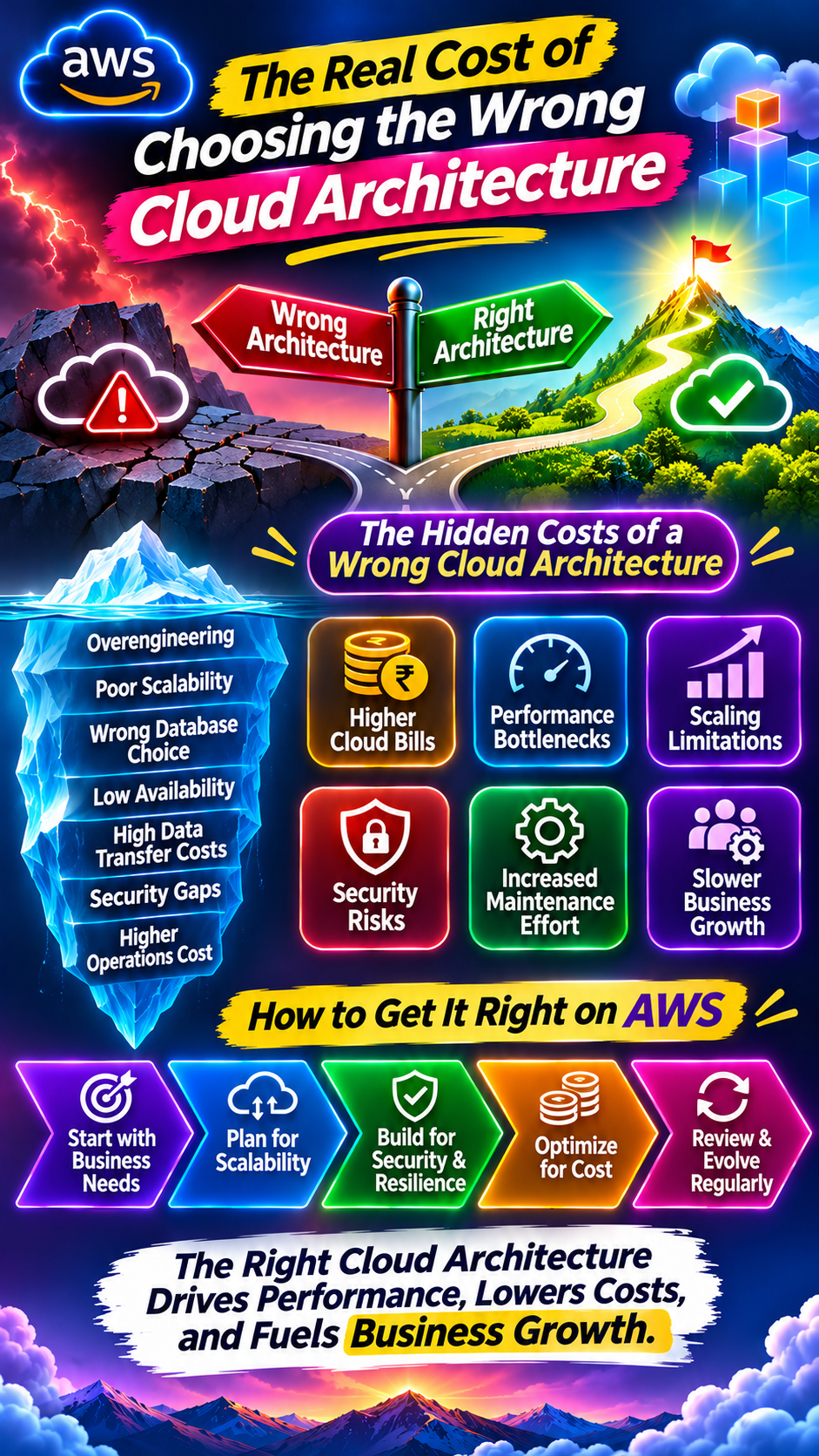
Choosing the wrong cloud architecture is not just a technical mistake. It can affect business growth, application performance, security, operational efficiency, and long-term IT spending.
Let's explore the real costs of poor cloud architecture decisions and how businesses can avoid them.
1. Overengineering: Paying for Complexity You Don't Need
One common mistake businesses make is choosing an architecture that is far more complicated than their actual requirements.
For example, a startup building a relatively simple application might immediately adopt:
Multiple microservices.
Kubernetes clusters.
Complex networking configurations.
Several managed databases.
Multiple deployment pipelines.
While these technologies can be useful, they also introduce additional infrastructure, maintenance, monitoring, and operational requirements.
A small application may not need a complex microservices architecture from day one.
The hidden costs include:
Higher infrastructure expenses.
More engineering effort.
Increased operational complexity.
Difficult debugging and troubleshooting.
Longer development cycles.
A better approach: Start with an architecture that matches your current workload and business requirements. Adopt additional complexity only when there is a clear technical or business reason.
2. Poor Scalability Can Limit Business Growth
Imagine your application handles 5,000 users comfortably.
Then your business launches a major campaign, and traffic suddenly increases to 50,000 users.
Instead of handling the growth smoothly, the application starts experiencing slow response times, failed requests, and infrastructure bottlenecks.
This often happens when scalability is not considered during architecture design.
Common problems include:
Applications running on a single server.
Database connections becoming overloaded.
Inefficient API communication.
Poorly configured load balancing.
Missing caching mechanisms.
Infrastructure that cannot scale automatically.
AWS provides services that can help businesses design scalable applications:
Amazon EC2 Auto Scaling: Adjusts EC2 capacity based on demand.
Elastic Load Balancing: Distributes incoming application traffic.
Amazon CloudFront: Delivers content through a global edge network.
Amazon ElastiCache: Provides in-memory caching.
Amazon RDS: Managed relational database infrastructure with supported scaling options.
The goal is to design an architecture that can handle changing demand without requiring unnecessary infrastructure upgrades every time the business grows.
3. Choosing the Wrong Database Can Become Expensive
Database selection is one of the most important architecture decisions.
Some businesses choose a database because it is familiar or popular, without evaluating the application's actual data requirements.
For example, a relational database may be suitable for applications that require structured data and transactional consistency.
However, workloads involving flexible document structures, high-volume key-value access, or specialized data processing may require a different approach.
Choosing incorrectly can result in:
Slow database queries.
Expensive scaling requirements.
Difficult data management.
Performance bottlenecks.
Increased maintenance effort.
AWS offers multiple database services:
AWS ServiceSuitable Use CasesAmazon RDSManaged relational databasesAmazon AuroraHigh-performance relational workloadsAmazon DynamoDBManaged NoSQL and key-value workloadsAmazon ElastiCacheIn-memory cachingAmazon RedshiftData warehousing and analytics
The right choice depends on query patterns, data relationships, consistency requirements, expected traffic, and operational needs.
Remember: A database that works perfectly for 10,000 records may not be the right choice for a workload involving billions of records.
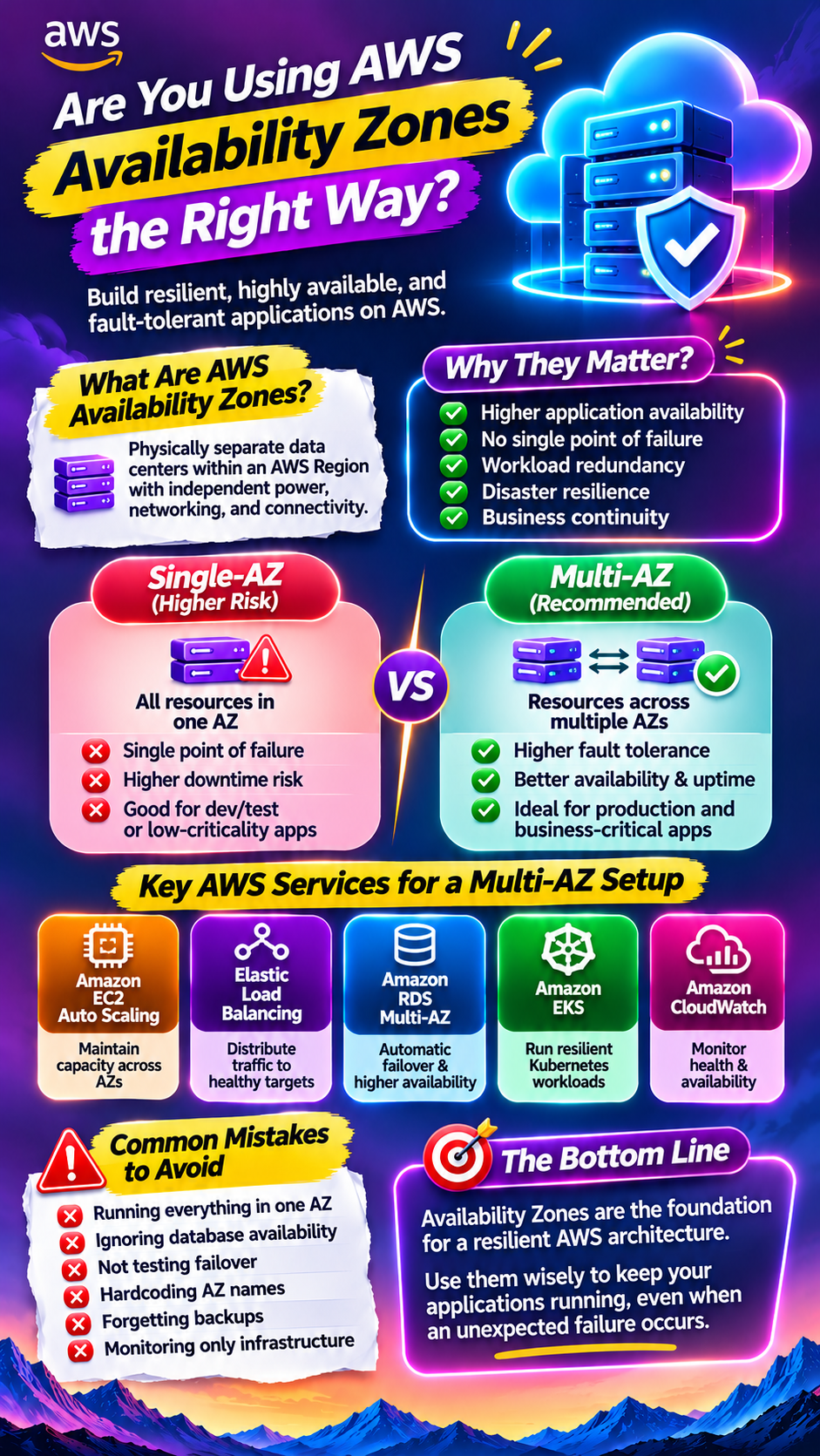
4. High Availability Is Often an Afterthought
Many businesses focus on getting their applications live but underestimate what happens when infrastructure fails.
Consider an application running in a single Availability Zone.
If that Availability Zone experiences an issue, the application may become unavailable.
This can lead to:
Lost business transactions.
Interrupted customer experiences.
Missed service commitments.
Revenue impact.
Emergency recovery efforts.
AWS provides several capabilities to improve application availability:
Deploying workloads across multiple Availability Zones.
Using Elastic Load Balancing.
Configuring database backups and recovery.
Designing appropriate failover mechanisms.
Monitoring infrastructure health through Amazon CloudWatch.
However, simply deploying across multiple Availability Zones does not guarantee complete resilience.
Businesses must also define their Recovery Time Objective (RTO) and Recovery Point Objective (RPO), understand application dependencies, and regularly test recovery procedures.
High availability should be part of architecture planning, not an emergency solution after the first outage.
5. Data Transfer Costs Can Become a Hidden Expense
Cloud architecture decisions also affect how data moves between services.
Consider an application where:
EC2 instances communicate frequently with databases.
Microservices exchange large amounts of data.
Applications transfer information across AWS Regions.
Data is frequently delivered to users globally.
Depending on the services, traffic paths, and data transfer direction, these activities can generate additional charges.
A poorly designed architecture may create unnecessary network traffic.
For example, microservices that constantly exchange large payloads can increase network overhead and operational complexity.
How can businesses reduce unnecessary data transfer costs?
Keep frequently communicating resources appropriately located.
Avoid unnecessary cross-Region data movement.
Optimize API payload sizes.
Use caching where appropriate.
Review data transfer charges regularly.
Evaluate CloudFront for suitable content delivery workloads.
AWS Cost Explorer and AWS Cost and Usage Reports can help teams investigate data transfer spending.
6. Security Becomes More Difficult With Poor Architecture
Security cannot be treated as a separate layer added after deployment.
A poorly designed cloud architecture can introduce unnecessary access points, excessive permissions, weak network boundaries, and difficult-to-manage security controls.
Common architectural security mistakes include:
Exposing internal services directly to the internet.
Giving applications excessive IAM permissions.
Storing credentials insecurely.
Using overly permissive security groups.
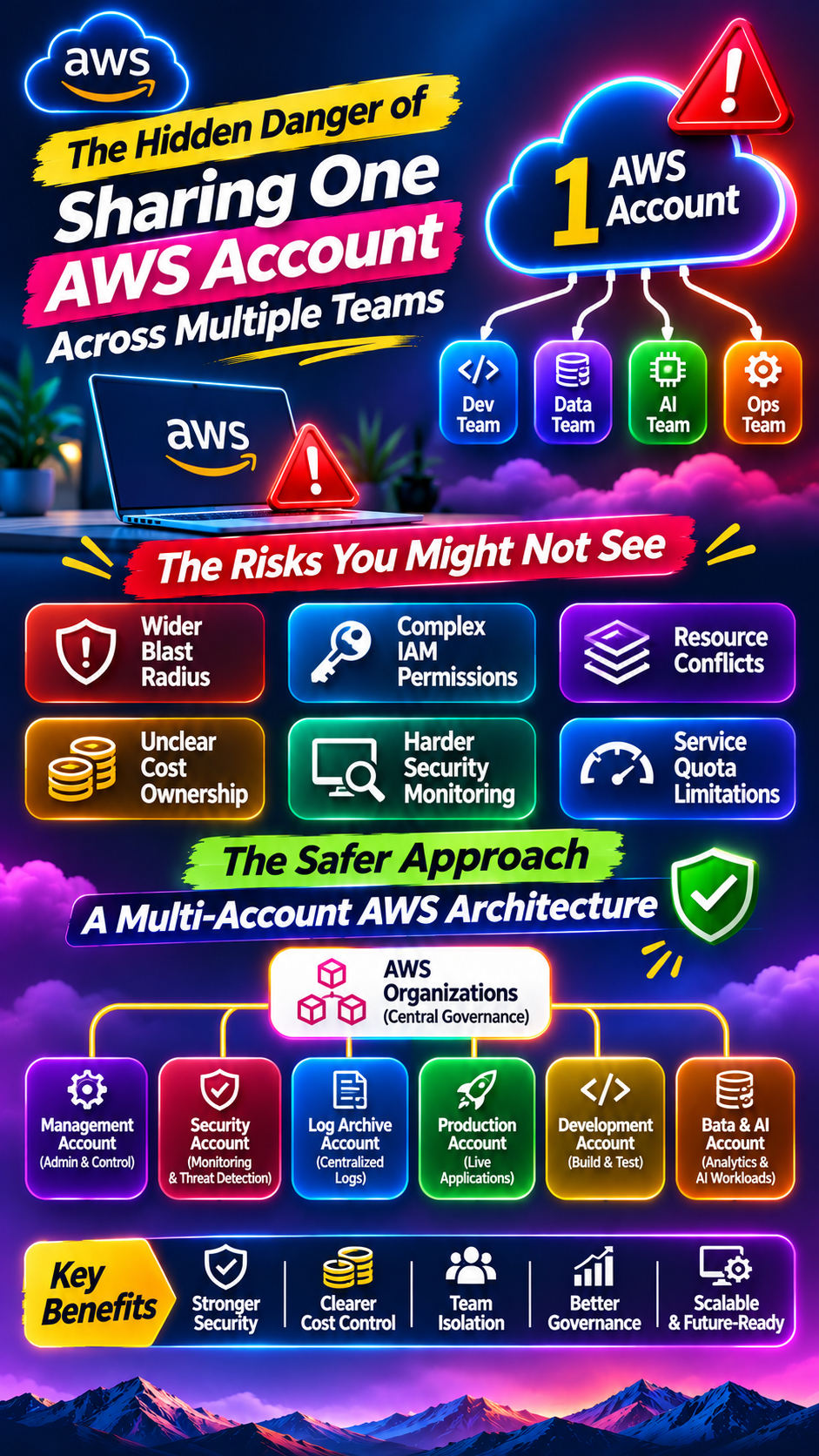
Failing to separate production and development environments.
Ignoring encryption and data protection requirements.
AWS offers several services to help address these risks:
AWS IAM: Controls access to AWS resources.
Amazon VPC: Provides network isolation and control.
AWS KMS: Supports encryption key management.
AWS Secrets Manager: Helps manage application secrets.
Amazon GuardDuty: Detects potential security threats.
AWS Security Hub CSPM: Helps monitor cloud security posture.
A secure architecture should follow least-privilege access, defense-in-depth principles, and appropriate network segmentation.
7. Maintenance Costs Can Grow Faster Than Infrastructure Costs
Cloud expenses are not limited to EC2 instances, storage, and databases.
The architecture also determines how much effort engineering teams spend maintaining the environment.
For example, a poorly designed distributed application may require teams to manage:
Multiple service dependencies.
Complex deployment workflows.
Distributed logs and tracing.
API version compatibility.
Configuration management.
Frequent troubleshooting.
A system that is difficult to maintain can slow down development and increase operational workload.
This is why architecture decisions should consider not only infrastructure costs but also the total cost of ownership (TCO).
A slightly more expensive managed service may sometimes reduce operational effort enough to make it a better business decision.
8. Monolith vs. Microservices: Choosing the Wrong Architecture Pattern
One of the most debated architecture decisions is whether to build a monolithic application or adopt microservices.
Both approaches have advantages and limitations.
FactorMonolithic ArchitectureMicroservices ArchitectureStructureSingle application unitIndependent servicesInitial complexityUsually lowerUsually higherDeploymentApplication-level deploymentIndividual service deploymentsScalingOften application-levelCan scale services independentlyCommunicationMostly internal callsNetwork/API communicationMaintenanceCan become difficult as it growsRequires distributed-system managementBest suited forSimpler applications and early-stage productsComplex systems with suitable team and operational maturity
Microservices are not automatically better than monolithic architecture.
They can improve independent deployment and scaling, but they also introduce network dependencies, distributed monitoring, service discovery, and additional operational complexity.
For many businesses, starting with a well-structured monolith and gradually separating services when necessary can be a practical approach.
The right architecture is the one that solves the business problem without introducing unnecessary complexity.
9. How to Choose the Right Cloud Architecture
Before designing an AWS environment, businesses should evaluate the following factors:
1. Understand business requirements
Identify application purpose, user expectations, growth plans, and availability requirements.
2. Estimate workload demands
Evaluate expected traffic, compute requirements, storage capacity, database usage, and data transfer patterns.
3. Define security requirements
Consider access controls, encryption, compliance, network boundaries, and data protection.
4. Plan for scalability
Determine how the architecture will respond to increased traffic and workload demand.
5. Evaluate total cost of ownership
Look beyond infrastructure pricing. Include maintenance, licensing, engineering effort, data transfer, and operational costs.
6. Design for failure
Identify critical dependencies, recovery requirements, backup strategies, and failover options.
7. Review architecture regularly
Business requirements change. Cloud architecture should evolve as applications and workloads grow.
Final Thoughts
Choosing the wrong cloud architecture can create problems that are difficult and expensive to fix later.
Higher infrastructure bills, poor application performance, security vulnerabilities, scaling limitations, and growing maintenance requirements are often connected to architectural decisions made much earlier.
AWS offers a wide range of services for building scalable, secure, and reliable applications. But having access to the right services does not automatically mean having the right architecture.
The best cloud architecture isn't the one with the most services, the most complex design, or the biggest infrastructure. It's the one that delivers the right performance, security, scalability, and cost efficiency for your business.
Did you find this helpful?