Why Your AWS Environment Needs a Centralized Logging Strategy | Savishty
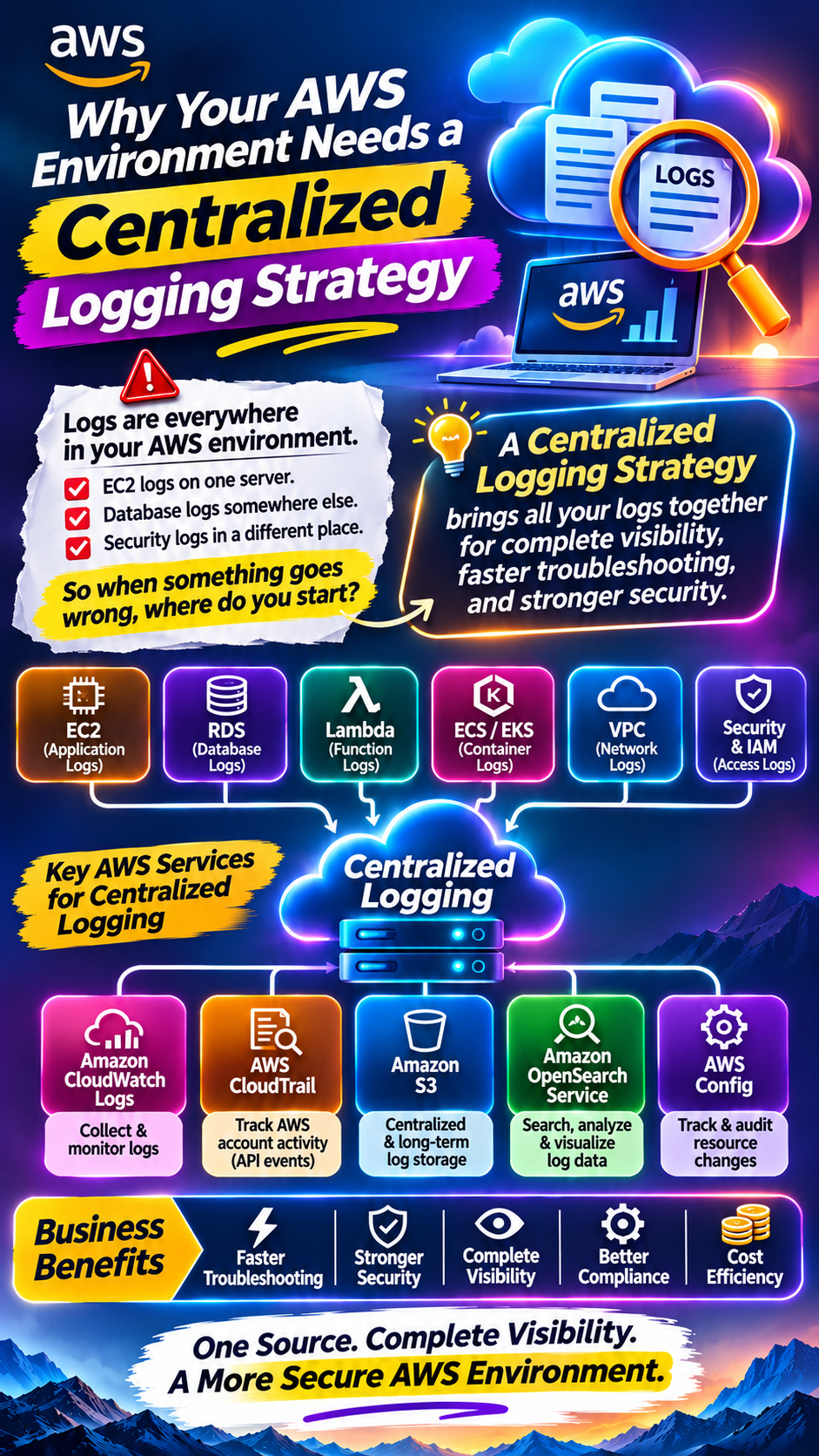
Why Your AWS Environment Needs a Centralized Logging Strategy
Imagine your production application suddenly stops responding.
Your development team checks the EC2 instances. Everything looks normal. The database appears healthy, and the network seems to be working.
But users are still experiencing errors.
Now comes the difficult part: finding out what actually happened.
The application logs are stored on different servers, database logs are somewhere else, and security events are spread across multiple AWS services. Your team starts checking each system individually, trying to connect the dots.
By the time the root cause is identified, valuable time has already been lost.
This is where centralized logging becomes essential.
As businesses expand their AWS environments, they often manage multiple applications, EC2 instances, containers, databases, APIs, and cloud services. Each component generates its own logs, making it difficult to understand the complete picture.
A centralized logging strategy brings these logs together, making it easier to monitor activity, investigate incidents, identify security threats, and troubleshoot application issues.
Let's understand why it matters and how businesses can implement it on AWS.
1. What Is Centralized Logging?
Centralized logging is the process of collecting logs from different applications, servers, databases, and infrastructure components into a common location.
Instead of accessing individual systems to investigate problems, teams can search and analyze logs from a centralized platform.
For example, an AWS environment may generate logs from:
- Amazon EC2 instances.
- Amazon RDS databases.
- AWS Lambda functions.
- Amazon ECS and Amazon EKS workloads.
- Application APIs.
- Amazon VPC network activity.
- AWS security and identity services.
A centralized logging system collects relevant information from these sources and makes it available for monitoring, troubleshooting, and analysis.
<AsyncImage query="centralized cloud logging architecture diagram multiple servers applications databases sending logs to central monitoring platform" aspectRatio="16:9" width="100%"/>The biggest advantage is visibility.
Your engineering and security teams can investigate activity across different components without jumping between multiple systems.
2. Why Managing Logs Separately Becomes a Problem
When an organization starts with a small AWS environment, managing logs individually may seem manageable.
But as infrastructure grows, the situation changes.
Consider a business operating 50 EC2 instances, several databases, multiple APIs, and containerized applications.
Each component generates different types of logs.
Without centralized logging, teams may face several challenges.
A. Troubleshooting takes longer
When an application fails, engineers must collect information from different systems before identifying the root cause.
B. Security events become harder to investigate
Suspicious login attempts, unexpected API calls, and configuration changes may be recorded in different locations.
C. Important logs can get lost
Logs stored locally may become unavailable when an instance is terminated, replaced, or corrupted.
D. Monitoring becomes inconsistent
Different teams may use different logging formats, retention periods, and monitoring practices.
E. Compliance becomes difficult
Organizations may struggle to demonstrate how system activity is recorded, retained, and reviewed.
Centralized logging helps reduce these challenges by creating a more consistent approach to collecting and managing log data.
3. AWS Services That Help Build a Centralized Logging Strategy
AWS provides several services that help organizations collect, store, analyze, and monitor logs.
Here are some important ones.
Amazon CloudWatch Logs
<AsyncImage query="Amazon CloudWatch Logs AWS console log groups monitoring dashboard" aspectRatio="16:9" width="100%"/>Amazon CloudWatch Logs helps collect and monitor log data from applications and AWS resources.
It supports use cases such as:
- Collecting application logs from EC2 instances.
- Monitoring AWS Lambda execution logs.
- Tracking application errors.
- Creating metric filters.
- Configuring alarms based on log activity.
For example, if an application starts generating repeated database connection errors, CloudWatch Logs can help teams identify the issue and create alerts based on matching log patterns.
AWS CloudTrail
<AsyncImage query="AWS CloudTrail event history management console screenshot" aspectRatio="16:9" width="100%"/>CloudTrail records AWS account activity, including supported API actions performed through the AWS Management Console, SDKs, command-line tools, and other interfaces.
It is particularly useful for security investigations and auditing.
Teams can use CloudTrail to investigate questions such as:
- Who modified an IAM policy?
- Who deleted an EC2 instance?
- When was an S3 bucket configuration changed?
- Which identity performed a particular AWS API action?
CloudTrail helps establish an audit trail of activity across an AWS environment.
Amazon S3
Amazon S3 provides scalable storage for log files and long-term log retention.
Organizations can store logs from multiple AWS accounts and services in a centralized S3 location.
Useful capabilities include:
- Lifecycle policies.
- Encryption.
- Access controls.
- Versioning where appropriate.
- Integration with analytics services.
For long-term log storage, organizations can use S3 lifecycle policies to move eligible data into more cost-effective storage classes.
Amazon OpenSearch Service
Amazon OpenSearch Service can help teams search, analyze, and visualize large volumes of log data.
It is useful when engineering teams need to investigate application behaviour, identify patterns, and build operational dashboards.
For example, teams can analyze application errors across multiple services and identify recurring issues.
AWS Config
AWS Config records configuration changes to supported AWS resources and helps evaluate resource configurations against desired rules.
It can help answer questions such as:
- Has an S3 bucket configuration changed?
- Was a security group modified?
- Is a resource following the organization's configuration rules?
AWS Config complements CloudTrail by providing resource configuration history and compliance evaluation.
4. How Centralized Logging Improves Security
Logging is not only about troubleshooting application errors. It is also an important part of cloud security.
Consider a situation where an unauthorized identity attempts to access sensitive AWS resources.
Without proper logging and monitoring, suspicious activity may go unnoticed.
Centralized logging can help security teams investigate:
- Unusual login activity.
- Unexpected permission changes.
- Suspicious API calls.
- Unusual access to sensitive resources.
- Changes to network security configurations.
- Potential data access incidents.
Organizations can also integrate logging with services such as:
Amazon GuardDuty: Detects potential threats and suspicious activity within supported AWS data sources.
AWS Security Hub CSPM: Provides visibility into security posture and findings across AWS environments.
AWS CloudTrail: Provides records of account activity and API events.
Amazon CloudWatch: Supports monitoring, metrics, alarms, and log-based analysis.
However, collecting logs alone does not guarantee security. Teams must configure appropriate detection rules, alerts, access controls, and incident response procedures.
5. Centralized Logging Across Multiple AWS Accounts
For organizations operating multiple AWS accounts, centralized logging becomes even more important.
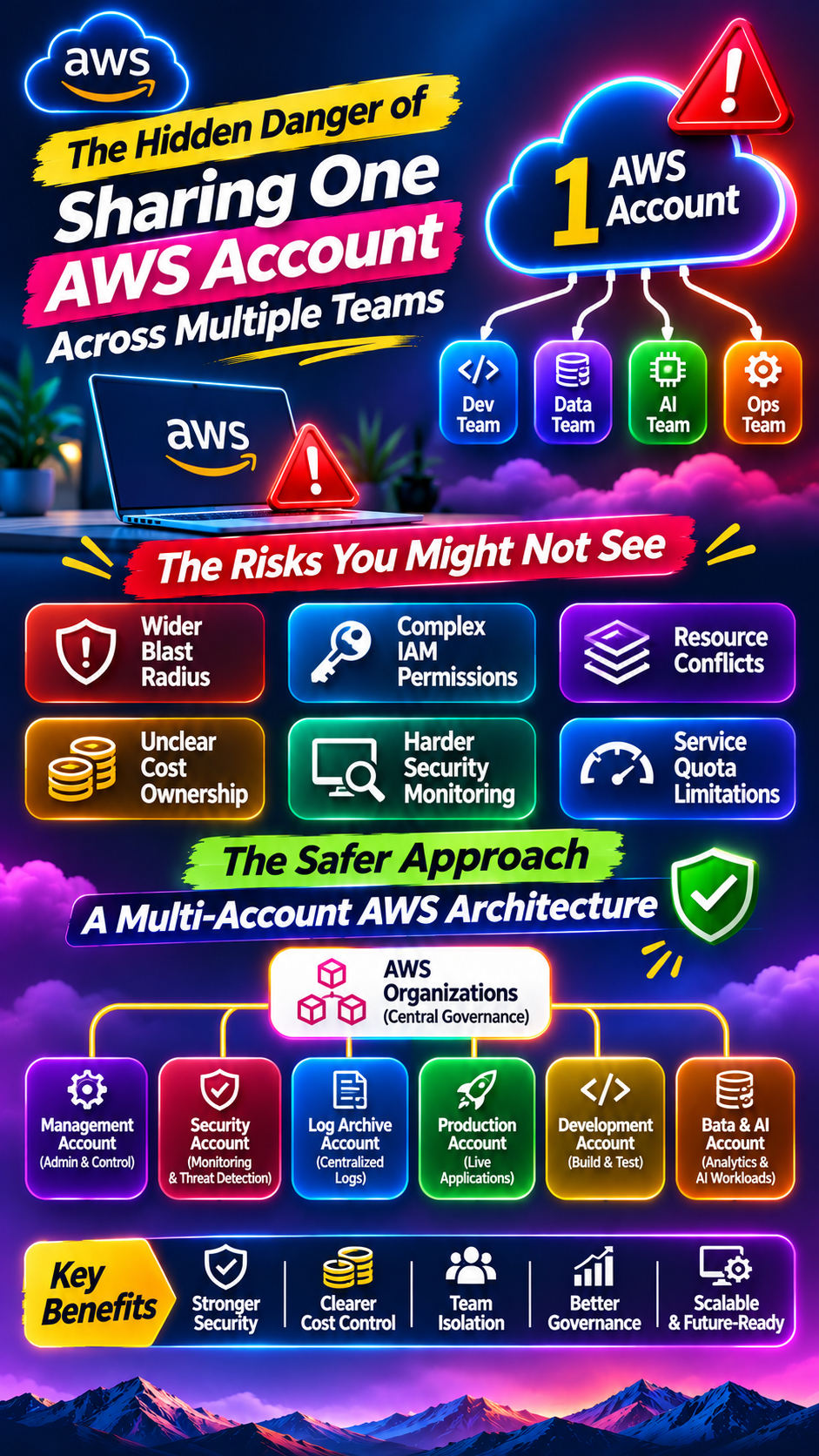
Imagine an enterprise managing separate accounts for:
- Production.
- Development.
- Testing.
- Security.
- Data and analytics.
If every account stores logs independently, investigating incidents across the organization becomes difficult.
A centralized logging architecture can send logs from multiple accounts into a dedicated logging account.
<AsyncImage query="AWS multi account centralized logging architecture diagram AWS Organizations log archive account CloudTrail CloudWatch S3" aspectRatio="16:9" width="100%"/>A possible architecture includes:
1. AWS Organizations: Manages the organization's AWS accounts.
2. AWS CloudTrail: Records relevant account activity.
3. Amazon CloudWatch Logs: Collects and monitors application and service logs.
4. Amazon S3: Stores logs centrally for retention and analysis.
5. Amazon OpenSearch Service: Supports search and visualization where required.
6. Dedicated Log Archive Account: Provides a separate environment for centralized log storage.
The log archive account should have carefully restricted access to help protect log integrity and confidentiality.
This architecture makes it easier to establish consistent logging practices across different teams and environments.
6. Common Centralized Logging Mistakes to Avoid
Even organizations that collect logs centrally can make mistakes that reduce the effectiveness of their logging strategy.
Here are some common issues.
1. Collecting everything without a clear purpose
Not every log needs to be retained forever. Define which logs are required for troubleshooting, security, auditing, and compliance.
2. Ignoring log retention policies
Keeping all logs indefinitely can increase storage and management costs. Define retention periods according to business, legal, and regulatory requirements.
3. Giving too many people access to logs
Logs may contain sensitive information, including identifiers, internal system details, and occasionally accidentally exposed secrets.
Apply least-privilege access and avoid logging passwords, access tokens, or unnecessary personal information.
4. Not configuring alerts
Collecting logs without monitoring them means important events may remain unnoticed.
Create meaningful alerts for critical errors, suspicious activity, and operational failures.
5. Ignoring log formats
Inconsistent log formats make searching and analysis difficult. Use structured logging, such as JSON, wherever practical.
6. Forgetting log integrity
Security and audit logs should be protected against unauthorized modification or deletion. Use appropriate account separation, restrictive bucket policies, and available integrity-validation features.
7. How to Build an Effective Centralized Logging Strategy on AWS
A successful logging strategy starts with planning rather than simply enabling every available logging feature.
Here are seven practical steps:
Step 1: Identify your log sources
List all applications, databases, AWS services, and infrastructure components that generate important logs.
Step 2: Define your logging requirements
Decide which logs are needed for application monitoring, security investigations, auditing, and compliance.
Step 3: Standardize log formats
Use consistent timestamps, severity levels, service names, request identifiers, and structured formats wherever possible.
Step 4: Establish centralized storage
Use CloudWatch Logs, Amazon S3, or an appropriate combination based on the use case.
Step 5: Configure monitoring and alerts
Create CloudWatch alarms, metric filters, and security detections for important events.
Step 6: Define retention and access policies
Establish how long logs should be retained, who can access them, and how sensitive information is protected.
Step 7: Test your incident investigation process
Simulate application failures and security events to confirm that your team can locate relevant logs and investigate them efficiently.
Final Thoughts
As AWS environments become more distributed, understanding what is happening across your infrastructure becomes increasingly important.
When logs are scattered across individual systems, teams spend valuable time searching for information instead of solving problems.
A centralized logging strategy brings better visibility, improves troubleshooting, supports security investigations, and helps organizations manage their cloud infrastructure more effectively.
AWS provides services such as CloudWatch Logs, CloudTrail, S3, OpenSearch Service, and AWS Config to support different parts of this strategy.
But the real value comes from connecting these services through a well-planned logging architecture.
Because when something goes wrong in your cloud environment, finding the right information quickly can make all the difference.
Did you find this helpful?