The Cloud Security Gap That Even Experienced DevOps Teams Miss | Savishty

The Cloud Security Gap That Even Experienced DevOps Teams Miss
Your AWS infrastructure is encrypted. Your security groups are configured. Your monitoring dashboards are green. So, is your cloud environment really secure? Not necessarily.
There is a security gap hiding inside many cloud environments that even experienced DevOps teams overlook. It isn't always an exposed S3 bucket, an unpatched server, or a misconfigured firewall.
Sometimes, the biggest vulnerability is who — or what — has permission to access your cloud infrastructure.
Modern cloud environments rely on hundreds of identities, automated workloads, IAM roles, CI/CD pipelines, service accounts, and third-party integrations. Each one needs permissions to perform specific tasks.
But over time, those permissions can expand, temporary access can become permanent, and unused credentials can remain active long after their original purpose disappears.
The result?
An organization can have advanced security tools, encrypted databases, and sophisticated monitoring while still leaving critical access paths exposed.
Let's explore this overlooked cloud security gap, why it happens, and how DevOps teams can close it.
1. The Biggest Security Risk Isn't Always External Hackers
Most organizations invest heavily in protecting their cloud infrastructure from external attacks.
They configure firewalls, deploy intrusion detection systems, enable encryption, and monitor suspicious traffic.
But security isn't only about keeping unauthorized people outside.
It is also about controlling what authorized users, applications, and automated systems can actually do once they have access.
Consider an AWS environment where:
Developers have administrative permissions they no longer need.
Applications use IAM roles with excessive privileges.
CI/CD pipelines can access production resources unnecessarily.
Old access keys remain active.
Third-party integrations have broader permissions than required.
Every individual configuration might seem harmless. Together, they create an unnecessarily large attack surface.
This is known as an excessive permissions problem, and it can significantly increase the impact of a compromised identity.
The uncomfortable truth: A compromised account doesn't need to bypass your security controls if it already has too much access.
2. Non-Human Identities Are Becoming a Major Security Blind Spot
Cloud infrastructure is no longer managed only by people.
Applications, containers, virtual machines, automation scripts, deployment pipelines, and cloud services continuously communicate with one another.
These systems use non-human identities to authenticate and perform operations.
For example:
An EC2 instance uses an IAM role to access S3.
A Lambda function accesses DynamoDB.
A CI/CD pipeline deploys infrastructure.
A containerized application retrieves secrets.
An automated process creates or modifies cloud resources.
The problem begins when organizations create these identities but fail to review their permissions regularly.
An application that only needs permission to read files from one S3 bucket might receive access to multiple buckets.
A deployment pipeline that only needs to update one environment might have permissions across the entire AWS account.
If one of these identities is compromised, attackers may inherit its permissions.
How to reduce the risk
Assign dedicated IAM roles to individual workloads.
Apply least-privilege permissions.
Avoid sharing credentials between applications.
Prefer temporary credentials over long-lived access keys.
Regularly review unused roles and permissions.
Monitor unusual identity activity.
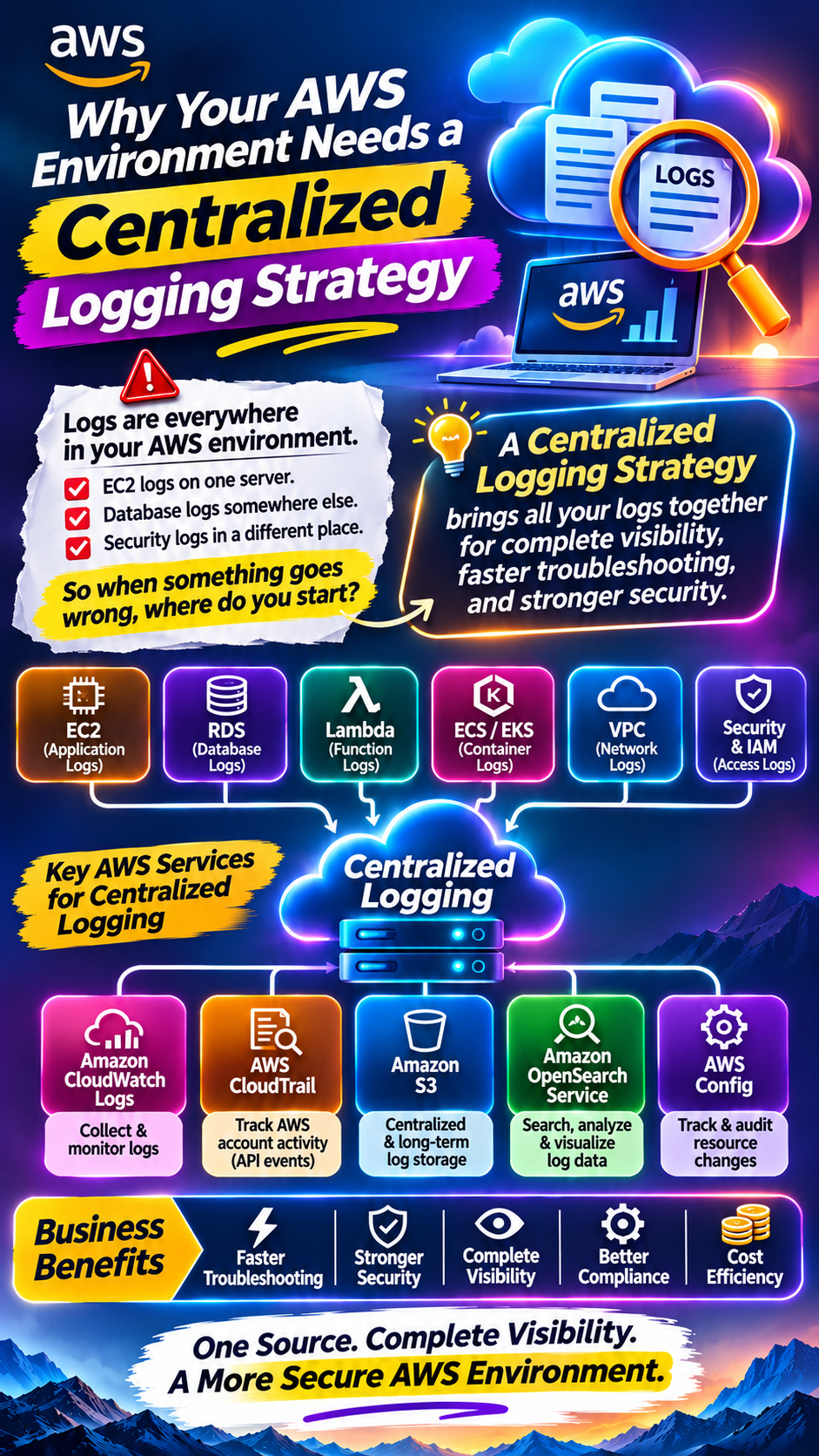
In AWS, IAM Access Analyzer and CloudTrail can help identify and investigate access-related risks.
3. Your CI/CD Pipeline Could Be an Entry Point for Attackers
CI/CD pipelines are essential to modern DevOps workflows.
They automate application builds, testing, infrastructure deployment, and production releases.
However, they also create a powerful access path into cloud infrastructure.
Imagine a development team using a pipeline that automatically deploys applications to AWS.
To make deployment easier, the team assigns broad IAM permissions to the pipeline.
Everything works perfectly.
But what happens if an attacker compromises a source code repository, steals a pipeline credential, or exploits a vulnerable build dependency?
The attacker may gain access to the same permissions used by the deployment process.
Depending on those permissions, this could allow unauthorized infrastructure modifications, access to sensitive resources, or deployment of malicious code.
Common CI/CD security mistakes
Security mistakePotential consequenceExcessive pipeline permissionsUnauthorized infrastructure changesLong-lived access keysPersistent credential exposureUnprotected deployment secretsUnauthorized cloud accessWeak approval processesMalicious production deploymentsUnrestricted third-party actionsCompromised build workflows
What DevOps teams should do
Use short-lived credentials wherever possible. For AWS deployments, consider OpenID Connect (OIDC) federation with narrowly scoped IAM trust policies.
Separate development, testing, and production permissions.
Require appropriate approvals for sensitive production changes and protect secrets using dedicated secret-management systems.
A secure pipeline should have only the permissions necessary to perform its assigned job.
4. Temporary Permissions Often Become Permanent Security Problems
Temporary access is common in cloud operations.
A developer may need elevated permissions to troubleshoot an incident. An external consultant may require access during a migration. A support engineer may need temporary access to production resources.
The immediate problem gets resolved.
But does anyone remember to remove the additional permissions?
In many environments, temporary access gradually becomes permanent.
This creates permission drift: the difference between the access an identity currently has and the access it actually needs.
Over time, organizations accumulate:
Unused IAM users and roles.
Old access keys.
Excessive administrator privileges.
Forgotten cross-account permissions.
Unnecessary third-party access.
Outdated trust relationships.
These access paths may remain unnoticed until a security investigation or audit exposes them.
A better approach
Establish an access review process that includes:
Identifying identities with elevated permissions.
Reviewing permissions against actual usage.
Removing unnecessary access.
Setting expiration or review dates for temporary access.
Monitoring changes to sensitive IAM policies.
The objective is simple: permissions should change when business requirements change.
5. Your Cloud Monitoring May Not Detect Identity Misuse
Many organizations monitor CPU utilization, memory consumption, application availability, network traffic, and server health.
But operational monitoring does not automatically provide complete visibility into identity-related threats.
An attacker using legitimate credentials may perform operations that appear normal to traditional infrastructure monitoring.
For example, a compromised IAM identity might access sensitive storage, modify security policies, or create additional credentials.
The infrastructure could continue functioning without any obvious performance problems.
What should you monitor?
Unusual API activity.
Unexpected IAM policy changes.
Creation of new access keys.
Changes to trust relationships.
Unusual access to sensitive S3 buckets.
Unexpected privilege escalation attempts.
Suspicious activity involving production resources.
AWS CloudTrail records account activity and API events. Amazon GuardDuty can help detect suspicious activity and potential threats. AWS Security Hub can help centralize security findings.
However, simply enabling these services isn't enough. Teams must configure appropriate coverage, review findings, and establish an incident response process.
A green infrastructure dashboard does not necessarily mean your cloud identities are behaving securely.
6. Third-Party Integrations Can Introduce Hidden Security Risks
Modern cloud environments rarely operate in isolation.
Organizations connect AWS accounts with monitoring platforms, security tools, deployment services, analytics platforms, external vendors, and SaaS applications.
These integrations often require access to cloud resources.
The challenge is knowing exactly what access has been granted and whether it is still necessary.
For example, a monitoring integration may need permission to read specific resource metadata. But an overly broad IAM policy could grant access to unrelated services or sensitive resources.
Similarly, a vendor's access might remain active after a project or contract ends.
Questions every organization should ask
Which external applications have access to our AWS accounts?
What permissions have been granted?
Are cross-account trust policies restricted?
Are external identities regularly reviewed?
Can access be revoked immediately?
Are third-party actions monitored?
Use narrowly scoped cross-account roles, appropriate external ID protections where applicable, and regular access reviews.
Third-party access should be treated as part of your cloud security perimeter.
7. How to Close the Cloud Security Gap
Fixing identity-related security weaknesses doesn't necessarily require an entirely new security platform.
It requires better visibility, disciplined access management, and continuous reviews.
Here are seven practical measures DevOps teams can implement.
1. Implement Least-Privilege Access
Give every user, application, and automated workload only the permissions required for its specific responsibilities.
2. Replace Long-Lived Credentials
Prefer temporary credentials, IAM roles, and federation over permanently active access keys wherever possible.
3. Secure CI/CD Pipelines
Protect deployment secrets, restrict pipeline permissions, review third-party dependencies, and establish controlled production deployment processes.
4. Review IAM Permissions Regularly
Identify excessive privileges, inactive identities, unused credentials, and outdated access policies.
5. Monitor Identity Activity
Use CloudTrail, GuardDuty, and other suitable monitoring tools to investigate suspicious API activity and permission changes.
6. Strengthen Third-Party Access
Review external integrations, cross-account roles, and vendor permissions. Revoke access when it is no longer required.
7. Automate Security Reviews
Use policy checks, infrastructure-as-code scanning, configuration monitoring, and automated compliance checks to catch risky changes earlier.
8. AWS Security Tools That Can Help
Organizations using AWS have several services available to improve identity security and cloud visibility.
AWS serviceSecurity purposeAWS IAMManage users, roles, and permissionsIAM Access AnalyzerIdentify unintended access and analyze permissionsAWS CloudTrailRecord and investigate account activityAmazon GuardDutyDetect suspicious activity and potential threatsAWS Security HubCentralize security findings and posture visibilityAWS ConfigEvaluate resource configurations against desired rulesAWS Secrets ManagerSecurely manage application secretsAWS Systems ManagerManage and access supported infrastructure securely
These services address different parts of cloud security. They work best as part of a broader security strategy rather than as standalone solutions.
Conclusion: Cloud Security Is Only as Strong as Your Access Controls
Cloud security has evolved beyond firewalls, encryption, and network protection.
Modern cloud environments depend on identities that continuously interact with applications, databases, APIs, and infrastructure.
That makes identity security one of the most important areas for DevOps teams to understand.
An organization might have advanced monitoring, automated deployments, and a well-designed AWS architecture, yet still remain vulnerable because an application has excessive permissions or an old credential was never revoked.
The solution is to treat every identity as a potential security boundary.
Review permissions continuously. Protect automated workflows. Monitor access activity. Remove unnecessary privileges. And never assume that an identity is safe simply because it belongs to your organization.
Because the next major cloud security incident might not begin with someone breaking into your infrastructure. It might begin with someone using access that was already there.
Did you find this helpful?