The Incident That Started With a Routine Configuration Change | Savishty
The Incident That Started With a Routine Configuration Change
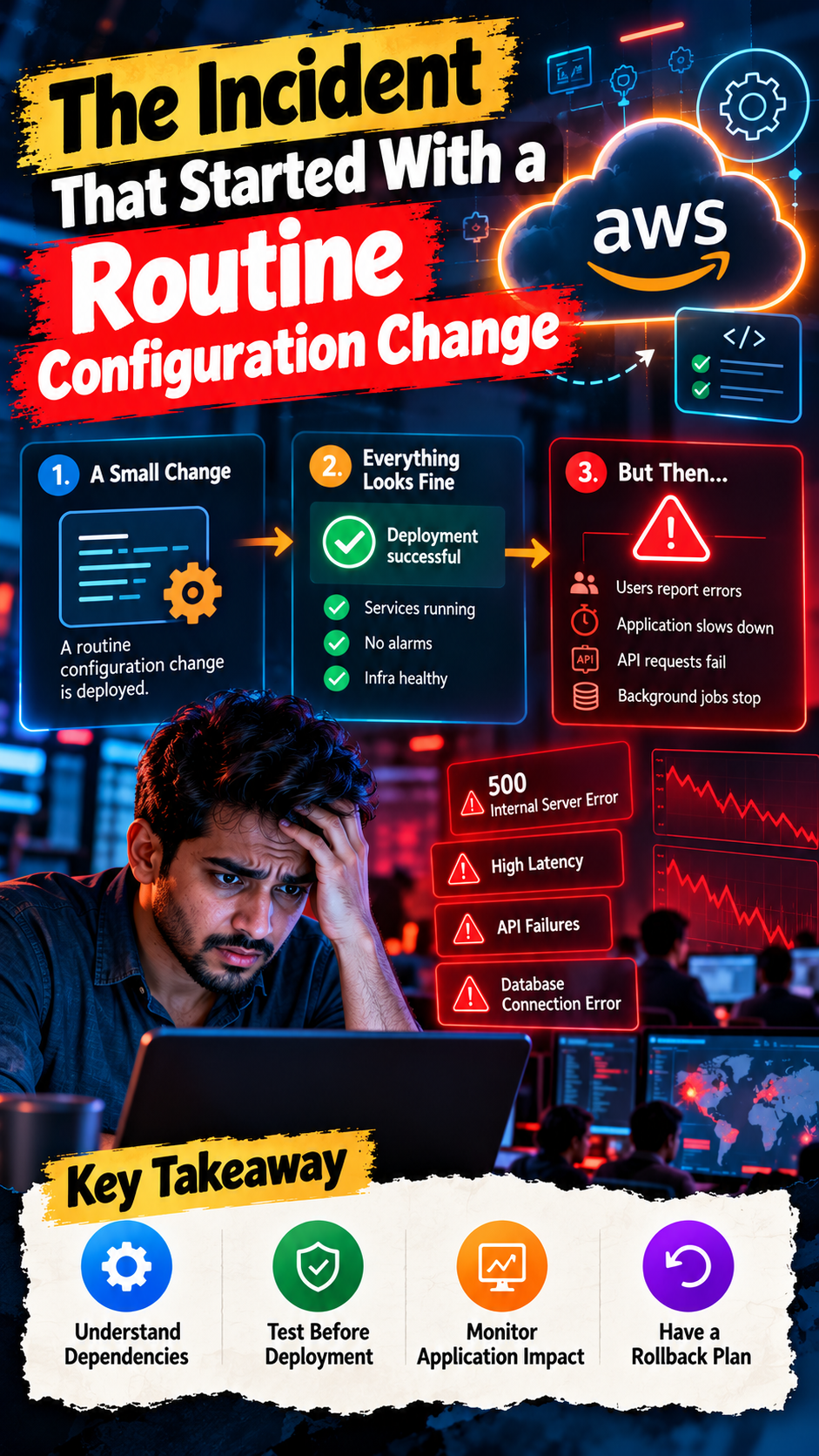
It was supposed to be a normal deployment.
A cloud engineer made a small configuration change. Nothing major. No new infrastructure. No application redesign. Just a routine update that was expected to improve the system.
The change was approved. The deployment completed. Everything looked fine.
Until users started reporting errors.
The application became slow. Some API requests started failing. Background jobs stopped processing properly. Within minutes, the engineering team was investigating an incident that nobody had anticipated.
And the most surprising part?
The incident didn't start with a cyberattack, hardware failure, or AWS outage. It started with one configuration change.
This is one of the biggest challenges in modern cloud infrastructure: even a small change can have unexpected consequences when multiple services, dependencies, and environments are connected.
Let's understand how this happens and how businesses can prevent routine infrastructure updates from turning into major incidents.
1. The Small Change That Triggered a Big Problem
Imagine a company running its application on AWS.
Its architecture includes:
Amazon EC2 for application hosting
Amazon RDS for database management
Application Load Balancer for traffic distribution
AWS Lambda for background processing
Amazon S3 for file storage
Amazon CloudWatch for monitoring
Everything is working normally.
One day, the engineering team updates a security group rule to restrict network access.
The change appears straightforward.
But the new rule accidentally blocks communication between the application servers and the database.
The EC2 instances remain healthy. The database is running. The load balancer is operational.
Yet application requests start failing because the services can no longer communicate correctly.
A change that took seconds to implement creates an incident that takes hours to investigate.
The problem wasn't the complexity of the change. It was the number of systems depending on it.
2. Configuration Changes Can Affect More Than You Think
Cloud environments are interconnected.
A change to one resource can influence several other components.
For example:
Configuration changePossible consequenceSecurity group modificationApplication connectivity issuesIAM policy updateApplications lose required permissionsDNS record modificationUsers reach the wrong endpointLoad balancer configurationTraffic is routed incorrectlyEnvironment variable updateApplication behavior changesDatabase parameter modificationPerformance or connectivity problemsAuto Scaling configurationInsufficient or excessive capacityS3 bucket policy updateApplications lose access to stored files
The challenge is that these changes don't always produce immediate failures.
Sometimes everything appears normal during deployment, but problems emerge when actual traffic reaches the application.
That's why configuration management deserves the same attention as application code.
3. The Hidden Danger of Configuration Drift
Here's another problem many engineering teams overlook.
The infrastructure running in production doesn't always match the configuration stored in code.
This is known as configuration drift.
For example:
A developer manually changes an AWS security group through the console to resolve an urgent issue.
The change fixes the immediate problem.
But the Terraform configuration isn't updated.
A few weeks later, another deployment runs using the old configuration.
The manual change gets overwritten, and the original problem returns.
This creates confusion because the infrastructure and the documented configuration no longer represent the same system.
How can teams prevent this?
Infrastructure as Code tools such as Terraform and AWS CloudFormation help teams define and manage infrastructure consistently.
Teams should:
Avoid unnecessary manual changes in production.
Review infrastructure changes before deployment.
Detect configuration drift regularly.
Maintain version-controlled infrastructure definitions.
Document approved emergency changes.
Reconcile manual changes with the source configuration.
The objective is simple:
Your production infrastructure and your infrastructure code should not tell two different stories.
4. One Incorrect IAM Permission Can Break an Application
Not every configuration incident involves networking.
Identity and Access Management changes can also cause unexpected failures.
Imagine an application running on EC2 that uses an IAM role to access an S3 bucket.
A developer updates the IAM policy to remove unnecessary permissions.
During the update, the application accidentally loses permission to access a required bucket.
The application is still running.
The EC2 instance is healthy.
But file uploads and downloads begin failing.
This is why IAM changes should be evaluated against actual application dependencies.
Best practices:
Follow the principle of least privilege.
Review policy changes before deployment.
Use IAM roles instead of embedding long-lived credentials.
Test permissions in non-production environments.
Monitor access-denied events.
Maintain a documented rollback procedure.
Security improvements should not unexpectedly break legitimate application functionality.
5. Why Testing in Development Isn't Always Enough
A configuration change may work perfectly in development but fail in production.
Why?
Because environments are rarely identical.
Production may have:
Higher traffic volumes
More users
Different network rules
Additional integrations
Larger databases
Different IAM permissions
More complex dependencies
A change that works with ten test requests may behave very differently under thousands of concurrent requests.
What should teams do?
Use a structured deployment process.
Development: Validate the initial configuration.
Testing/Staging: Verify functionality, permissions, connectivity, and performance.
Production: Deploy through controlled releases with monitoring and rollback procedures.
For higher-risk changes, consider canary deployments or phased rollouts instead of changing everything simultaneously.
The objective is to identify problems before they affect the entire production environment.
6. Monitoring Should Detect the Impact, Not Just the Deployment
One of the biggest mistakes during infrastructure changes is monitoring only whether the deployment succeeded.
A deployment can complete successfully while the application becomes unusable.
For example:
EC2 instances are running.
Load balancer health checks are passing.
CPU utilization is normal.
No infrastructure alarm has been triggered.
But users are receiving HTTP 500 errors.
This is why deployment monitoring must include application-level indicators.
With Amazon CloudWatch and other observability tools, teams can monitor:
Application error rates
API response times
Database connectivity
CPU and memory utilization
Network traffic
Failed background jobs
Load balancer target health
Critical business transactions
AWS X-Ray and OpenTelemetry-compatible distributed tracing can also help identify where requests are failing across multiple services.
A successful deployment should mean that the application works correctly, not simply that the deployment process finished.
7. Rollback Plans Should Exist Before Deployment
Here's a question every engineering team should ask:
What happens if the configuration change breaks production?
If the answer is "We'll figure it out," there's a problem.
A rollback strategy should be prepared before deploying high-impact changes.
Depending on the type of change, teams can use:
Version-controlled configuration files
Terraform plans and reviewed changes
CloudFormation change sets
Previous known-good application versions
Automated deployment rollback
Feature flags
Canary releases
Documented recovery procedures
However, not every change can be safely reversed with a simple rollback.
Database schema changes, data migrations, and certain permission updates may require additional recovery steps.
Always understand the consequences of reversing a change before deploying it.
8. Build a Change Management Process That Actually Works
Cloud infrastructure changes shouldn't depend entirely on individual engineers remembering every possible risk.
Organizations need a repeatable process.
A practical change management workflow should include:
Step 1: Identify the change
Clearly document what resource, service, or configuration will be modified.
Step 2: Assess the impact
Identify dependent applications, services, users, and potential failure scenarios.
Step 3: Review the change
Use peer reviews and approval processes for significant production modifications.
Step 4: Test before deployment
Validate the change in a suitable non-production environment.
Step 5: Deploy gradually
Use controlled rollouts wherever possible.
Step 6: Monitor the results
Compare application behavior before and after the change.
Step 7: Roll back if necessary
Follow the predefined recovery procedure if critical indicators deteriorate.
Step 8: Document the outcome
Record what changed, what happened, and what the team learned.
This process doesn't eliminate every incident, but it makes changes more predictable and failures easier to investigate.
AWS Configuration Change Checklist
Before making your next production configuration update, ask:
Is the purpose of the change clearly documented?
Have dependent AWS services been identified?
Have IAM permissions been reviewed?
Have networking and security group changes been validated?
Has the change been tested outside production?
Is the infrastructure configuration version-controlled?
Is a rollback strategy available?
Are CloudWatch alarms configured?
Are application errors and latency being monitored?
Is the deployment outcome documented?
A few minutes of review can prevent hours of troubleshooting.
Final Thoughts: Small Changes Deserve Serious Attention
Cloud incidents don't always begin with dramatic failures.
Sometimes they begin with a routine update that nobody expected to cause trouble.
A security group rule gets modified. An IAM policy becomes too restrictive. A DNS record is updated incorrectly. A configuration value changes.
And suddenly, an otherwise healthy application starts failing.
The lesson isn't that engineers should stop making changes.
Cloud infrastructure must evolve. Security policies need improvement. Applications need updates. Performance needs optimization.
The real lesson is that every production change should be understood, tested, monitored, and reversible wherever possible.
Because in cloud engineering, the size of a configuration change doesn't necessarily determine the size of its impact.
One small change can create a major incident. Make sure your deployment process is ready before it happens.
Did you find this helpful?