What Happens When Your AWS Region Goes Down? | Savishty
What Happens When Your AWS Region Goes Down?
Imagine this.
It's 10:17 AM.
Your application is healthy.
CPU looks normal.
Database connections are fine.
Your customers are online.
Then suddenly...
Requests start failing.
Your dashboards turn red.
Your team checks the application.
Nothing obvious is wrong.
Then someone asks the question nobody wants to hear:
“Is our AWS Region having a problem?”
And that's when the real test begins.
Because running an application on AWS doesn't automatically mean your application can survive an AWS Region-level disruption.
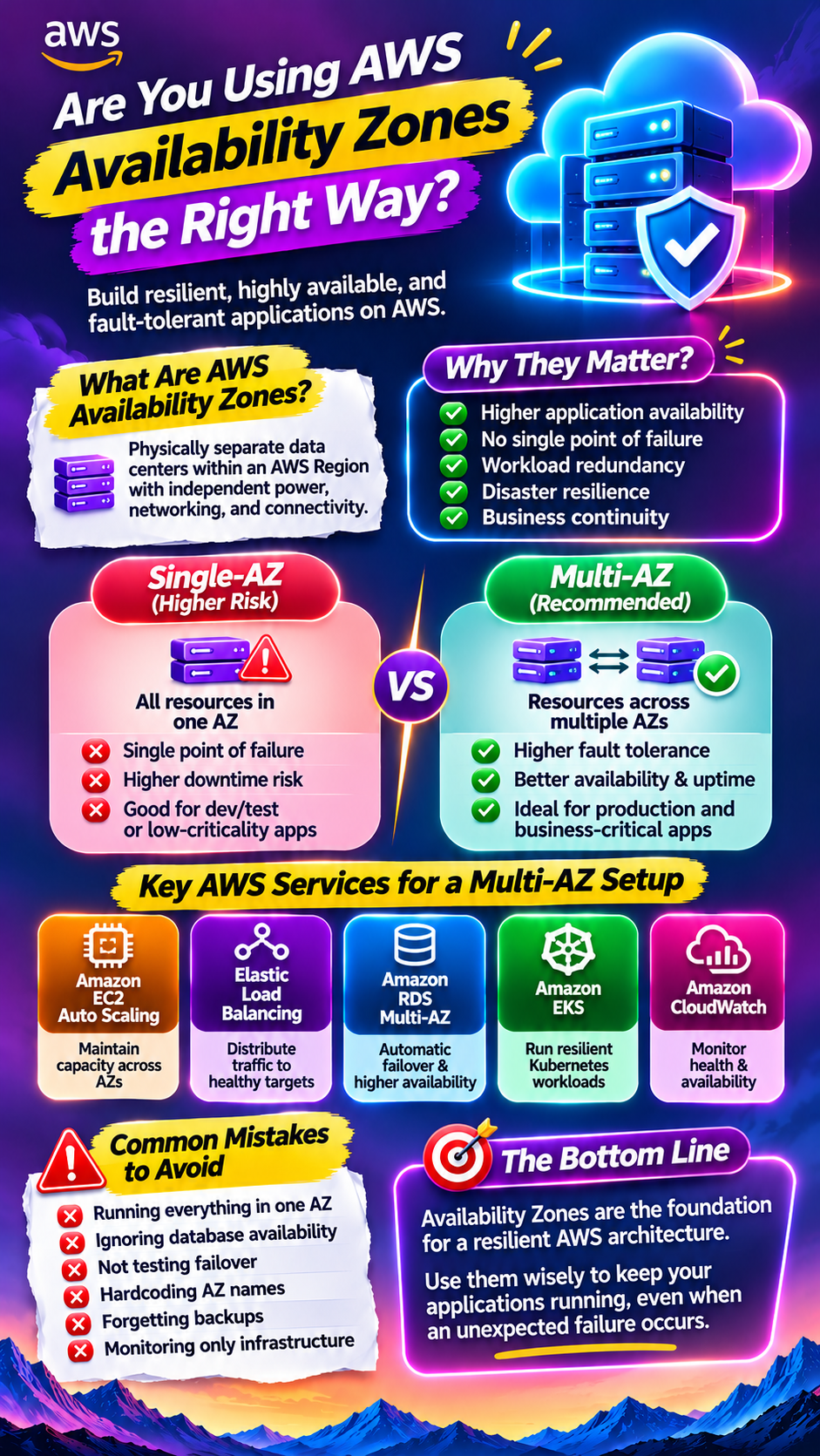
A Region contains multiple Availability Zones, and AWS recommends deploying across multiple AZs to protect against failures affecting a single AZ. But if the disruption is large enough to affect an entire Region, a multi-Region disaster recovery strategy may be required. �
AWS Documentation +1
So the real question isn't:
“Can AWS recover?”
It's:
“Can your business continue operating if your primary Region becomes unavailable?”
First: Region vs Availability Zone
This distinction matters.
An AWS Region is a separate geographic area.
Inside a Region are multiple Availability Zones (AZs).
Think of it like this:
AWS Region
│
├── Availability Zone A
│ └── Data centers
│
├── Availability Zone B
│ └── Data centers
│
└── Availability Zone C
└── Data centers
Multiple AZs provide protection against localized failures.
But they're still inside the same Region.
If your business needs protection from an event affecting an entire Region, AWS recommends considering a multi-Region architecture. �
Amazon Web Services
That's a completely different level of resilience.
What Actually Happens If Your Region Goes Down?
It depends entirely on your architecture.
Scenario 1: Everything Is in One Region
Your architecture might look like:
Users
↓
Route 53
↓
Load Balancer
↓
EC2 / ECS
↓
Database
↓
S3
Everything works beautifully.
Until the Region becomes unavailable.
Then your:
Application servers
Databases
Load balancers
Caches
Queues
Storage integrations
Internal services
may all be affected depending on where and how they are deployed.
And suddenly your highly available architecture isn't highly available against a Regional failure.
“But We Use Multiple Availability Zones”
That's good.
It's also not the same as multi-Region disaster recovery.
A Multi-AZ architecture can protect workloads from an Availability Zone failure within a Region.
For example:
AWS REGION
│
┌─────────┴─────────┐
↓ ↓
AZ-A AZ-B
│ │
App App
│ │
└─────────┬─────────┘
↓
Database
If AZ-A fails, traffic can potentially continue through AZ-B.
But imagine the entire Region becomes unavailable.
Now both AZ-A and AZ-B are inside the affected boundary.
That's where a second Region becomes important.
Multi-Region Changes the Game
A basic multi-Region architecture might look like:
USERS
│
↓
DNS / CDN
│
┌───────┴───────┐
↓ ↓
REGION A REGION B
Primary Recovery
│ │
App Stack App Stack
│ │
Database Database
│ │
└───────┬─────────┘
↓
Replicated Data
Now if Region A has a major disruption, you can potentially move traffic to Region B.
AWS describes multiple DR strategies ranging from backup-and-restore to pilot light, warm standby and active-active multi-Region architectures. These trade higher resilience and lower RTO/RPO for greater cost and complexity. �
AWS Documentation +1
But Here's the Catch
Having a second Region doesn't magically create disaster recovery.
This is where many architectures fall apart.
You might have:
Application in Region B
but...
Database only in Region A.
Or:
Infrastructure copied to Region B
but...
Secrets aren't available.
Or:
S3 data exists in Region B
but...
Your application doesn't know how to use it.
Or:
DNS can fail over
but...
Your authentication system is still dependent on Region A.
You don't have a multi-Region architecture simply because you created resources in two Regions.
You need the entire recovery path to work.
What Happens to Your Data?
This is often the hardest problem.
Imagine your primary database contains:
500 million customer records.
If Region A disappears, where does the latest version of that data live?
That's where replication and backups become critical.
AWS recommends defining recovery objectives based on acceptable downtime and data loss, rather than simply choosing a DR architecture first. �
AWS Documentation
Two terms matter enormously here.
RTO: How Quickly Can You Recover?
Recovery Time Objective (RTO) is the maximum acceptable time between an interruption and restoration of service. �
Amazon Web Services
For example:
RTO = 30 minutes
means your business has decided:
“We can tolerate up to 30 minutes of downtime.”
But if your RTO is:
5 minutes
your architecture needs to be significantly more prepared.
And if your business expects almost zero downtime?
You need an even more sophisticated design.
RPO: How Much Data Can You Lose?
Recovery Point Objective (RPO) is about acceptable data loss.
Suppose your database was last replicated:
15 minutes ago.
If the Region disappears, you might lose up to roughly 15 minutes of recent changes depending on the system and failure scenario.
That's your recovery point problem.
So:
RTO = How fast can we recover?
RPO = How much data can we afford to lose?
These two numbers should drive your architecture.
Four Common AWS Disaster Recovery Strategies
1. Backup and Restore
The simplest approach.
Primary Region
↓
Backups
↓
Recovery Region
If disaster strikes:
Deploy infrastructure
Restore data
Deploy application
Redirect traffic
It's generally cheaper.
But recovery takes longer.
AWS describes backup-and-restore as the lower-cost, lower-complexity end of its DR spectrum, with longer recovery times compared with more advanced strategies. �
AWS Documentation
Best for:
Non-critical applications
Internal systems
Cost-sensitive workloads
Applications that can tolerate downtime
2. Pilot Light
Here, critical components are already available in the recovery Region.
For example:
REGION A
Full Application
│
↓
Replicated Data
│
↓
REGION B
Core Infrastructure
When disaster strikes, additional application resources are started or scaled.
This reduces recovery time compared with starting everything from scratch.
3. Warm Standby
A scaled-down version of your application is already running in the secondary Region.
REGION A
████████████
Full Capacity
REGION B
████
Reduced Capacity
If Region A fails:
Scale Region B → redirect traffic → continue operations.
AWS describes warm standby as maintaining a scaled-down but fully functional recovery workload, with recovery generally taking minutes depending on implementation. �
AWS Documentation
This can be a strong option for business-critical applications.
4. Active-Active
Now both Regions are actively serving customers.
USERS
/ \
↓ ↓
REGION A REGION B
↑ ↑
└── DATA ───┘
If Region A fails:
Region B is already serving traffic.
This can provide extremely low recovery times.
But it also introduces significant complexity around:
Data synchronization
Conflicting writes
Application state
Networking
Deployment consistency
Monitoring
Failover logic
AWS notes that active-active multi-Region architectures can offer potentially near-zero RTO/RPO, but require careful synchronization and conflict handling. �
AWS Documentation
What About S3?
S3 is already designed for high durability and resilience within an AWS Region, but if you need geographic separation for disaster recovery, you can replicate objects between Regions using S3 Cross-Region Replication. �
AWS Documentation +1
For example:
S3 Bucket
Region A
│
│ Cross-Region Replication
↓
S3 Bucket
Region B
You can then build recovery workflows around the replicated data.
AWS also provides S3 Multi-Region Access Points and failover controls for certain multi-Region architectures. �
AWS Documentation
But remember:
Replicated storage ≠ complete disaster recovery.
Your application, database, configuration, identity, networking and dependencies still need a recovery strategy.
The Hidden Problem: Dependencies
Here's where things get really interesting.
Your application may depend on 15 different services.
For example:
Application
│
├── Database
├── Redis
├── S3
├── Queue
├── Authentication
├── Payment API
├── Email provider
├── Monitoring
├── Secrets
└── Third-party APIs
You move your application to Region B.
But what happens if:
your authentication system can't fail over?
Or:
your payment integration depends on a Regional endpoint?
Or:
your secrets aren't replicated?
Your application may technically be running.
But customers still can't use it.
That's why disaster recovery needs to consider dependencies, not just compute.
DNS Failover Isn't the Whole Solution
Many architectures rely on DNS or traffic-routing mechanisms to direct users to another Region.
That's useful.
But failover isn't simply:
“Change DNS.”
You also need to know:
Is the secondary application healthy?
Is the database ready?
Is the latest data available?
Are authentication services working?
Are background jobs running?
Are queues processing correctly?
Are certificates available?
Are secrets available?
Are third-party integrations functioning?
A traffic switch doesn't fix a broken application.
The Biggest Mistake: Assuming Your DR Works
This might be the most important part of the entire article.
You can have:
Backups
Replication
A secondary Region
Infrastructure as code
Monitoring
Failover scripts
And still fail during an actual disaster.
Why?
Because you never tested it.
AWS explicitly recommends testing disaster recovery implementations, managing configuration drift and automating recovery as part of its Well-Architected disaster recovery guidance. �
AWS Documentation
Run a “Region Down” Game Day
Here's an exercise every serious engineering team should consider.
Ask:
“What if Region A disappeared right now?”
Then walk through the scenario.
Step 1: Detect
How quickly would you know?
Step 2: Decide
Who has authority to initiate failover?
Step 3: Redirect
How does traffic move?
Step 4: Recover
How does the secondary Region become fully operational?
Step 5: Validate
How do you know customers can actually use the application?
Step 6: Communicate
Who tells customers?
Step 7: Fail Back
How do you eventually return to the primary environment?
AWS recommends regularly testing DR processes and evaluating the results to improve resilience over time. �
Amazon Web Services
How Much Should Your Business Spend on DR?
Here's the uncomfortable business question.
Should every startup build an active-active multi-Region architecture?
No.
It can be expensive and operationally complex.
Imagine a small internal application that generates reports once per day.
Do you really need:
24/7 active-active multi-Region infrastructure?
Probably not.
Now consider:
A payment platform processing transactions every second.
The answer could be very different.
This is why AWS recommends aligning DR strategies with business-defined RTO and RPO requirements rather than automatically choosing the most sophisticated architecture. �
AWS Documentation
Think About Your Application in Tiers
A practical approach is to classify systems.
Tier 1 — Mission Critical
Downtime directly impacts revenue or safety.
Consider:
Multi-Region / Active-Active / Warm Standby
Tier 2 — Business Critical
Short outages are acceptable.
Consider:
Warm Standby / Pilot Light
Tier 3 — Important
Some downtime is acceptable.
Consider:
Backup and Restore
Tier 4 — Non-Critical
Longer recovery is acceptable.
Consider:
Basic backups and documented recovery
This is often much more cost-effective than making everything equally resilient.
Your Recovery Plan Should Answer 10 Questions
Before saying:
“We're protected.”
Ask:
What happens if our primary Region fails?
How quickly will we detect it?
Who triggers failover?
Where does the application run next?
Where is the latest data?
How much data can we afford to lose?
How long can the business be offline?
What happens to third-party dependencies?
How do we communicate with customers?
When was the last successful DR test?
If you can't answer these questions confidently, your DR strategy probably needs more work.
The Bigger Lesson
Cloud doesn't eliminate disasters.
It changes how you prepare for them.
AWS gives businesses the building blocks for highly resilient architectures:
Multiple Availability Zones.
Multiple Regions.
Replication.
Backups.
Automated deployment.
Traffic routing.
Monitoring.
But those tools don't create resilience by themselves.
Architecture does.
And architecture only works if you've tested it.
Final Thought
Your application doesn't have to survive every possible disaster.
But you should know exactly what happens when something goes wrong.
Because the worst time to discover that your backup doesn't restore, your secondary Region isn't ready, or your failover process doesn't work...
is when your customers are already staring at an error page.
Don't build for the day AWS goes down. Build for the day your business can't afford to wait.
Frequently Asked Questions
Does Multi-AZ protect against an entire AWS Region failure?
Not necessarily. Multi-AZ primarily protects against failures affecting an Availability Zone within a Region. Protection against a Regional disruption generally requires a multi-Region strategy. �
AWS Documentation
Do I need two AWS Regions?
Not every application does. Your decision should be based on business impact, RTO, RPO, cost and complexity.
Is S3 enough for disaster recovery?
S3 can be an important part of a DR strategy, including cross-Region replication, but complete DR also needs application infrastructure, databases, configuration and dependencies to be addressed. �
AWS Documentation
What is the difference between RTO and RPO?
RTO is how long you can tolerate the service being unavailable. RPO is how much data loss you can tolerate. �
Amazon Web Services
Which AWS DR strategy is best?
There isn't one universal answer. Backup-and-restore, pilot light, warm standby and active-active architectures represent different trade-offs between cost, complexity, recovery time and potential data loss. �
AWS Documentation
Is having backups enough?
No. Backups are only useful if they can actually be restored when needed. Regular DR testing is critical to validate that the recovery process works.
Did you find this helpful?