How to Scale AI Applications Without Exploding Cloud Costs | Savishty
How to Scale AI Applications Without Exploding Cloud Costs
Your AI application is getting more users. That's great news. But what happens when your cloud bill starts growing faster than your business?
AI applications are becoming more powerful, but running them at scale can be surprisingly expensive.
Whether you're building an AI chatbot, a document-processing platform, an AI-powered SaaS product, or a generative AI application, scaling brings new infrastructure challenges.
More users mean more API requests. More requests mean more model inference. Larger workloads require additional computing resources, storage, networking, and monitoring.
And if your infrastructure isn't designed properly, your AWS bill can increase before your revenue does.
The challenge is not simply to scale AI applications. It's to scale them without paying for unnecessary infrastructure or compromising performance.
So, how can businesses build AI applications that handle growing demand while keeping cloud costs under control?
Let's break it down.
1. Understand Where Your AI Cloud Costs Actually Come From
Before optimizing your infrastructure, you need to understand what you're paying for.
Unlike traditional web applications, AI applications can have multiple cost layers.
A typical AI application may include:
Model inference and API usage.
GPU or CPU compute resources.
Cloud storage for datasets and documents.
Vector databases and embeddings.
Data transfer and network traffic.
Application servers and containers.
Monitoring, logging, and security services.
For generative AI applications, model usage can become a major cost driver.
For example, consider an AI chatbot that processes thousands of user requests every day.
Each request may involve input tokens, output tokens, retrieval from a knowledge base, and additional model calls.
As usage grows, these costs can multiply.
The first step towards AI cost optimization is understanding the cost of every request, not just the total monthly cloud bill.
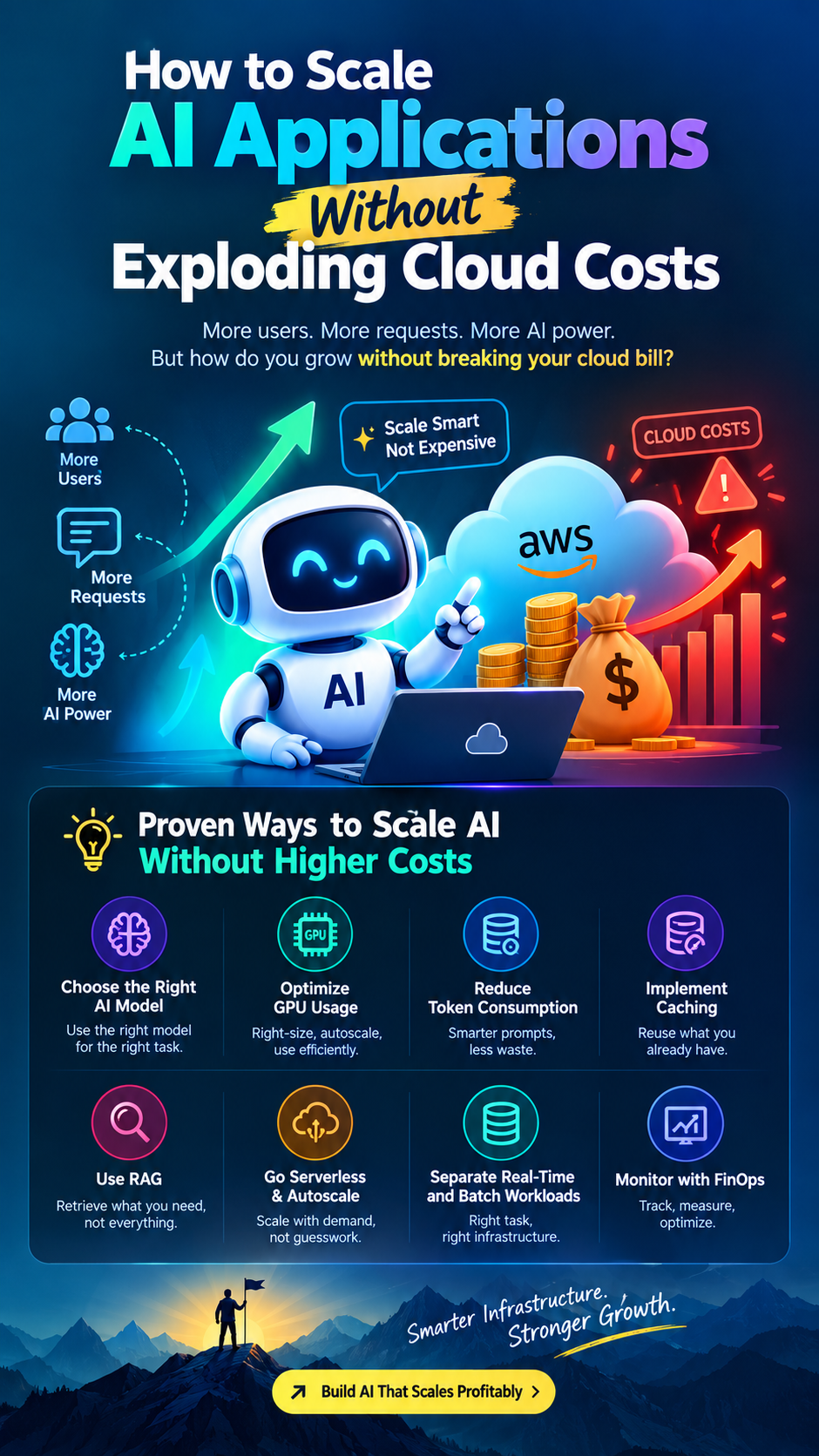
2. Choose the Right AI Model for Each Task
One of the most common mistakes businesses make is using their most powerful AI model for every task.
Not every application request requires an advanced large language model.
Consider an AI customer support platform.
Identifying a user's intent may require a smaller model.
Classifying a support ticket may require a lightweight model.
Summarizing a complex document may need a more capable model.
Handling a difficult reasoning task may justify a premium model.
Using an expensive model for simple tasks increases inference costs unnecessarily.
A smarter approach is to implement model routing.
Model routing directs requests to different models based on complexity, accuracy requirements, latency, and cost.
This allows companies to balance performance and expenditure.
For example, an application can use a smaller model for routine questions and route complex requests to a more capable model.
The objective is not always to choose the cheapest model.
It is to choose the most cost-effective model that delivers the required result.
3. Use GPU Resources Efficiently
AI workloads can require significant computing power, particularly when running large models or processing high volumes of inference requests.
GPUs offer substantial parallel processing capabilities, but they can also be expensive.
One common mistake is keeping GPU instances running continuously, even when workloads are low.
Businesses should consider:
Right-Sizing GPU Instances
Choose instance types based on actual model requirements, memory consumption, throughput, and latency.
Autoscaling
Scale compute capacity according to workload demand instead of maintaining unnecessary resources.
Scheduled Resources
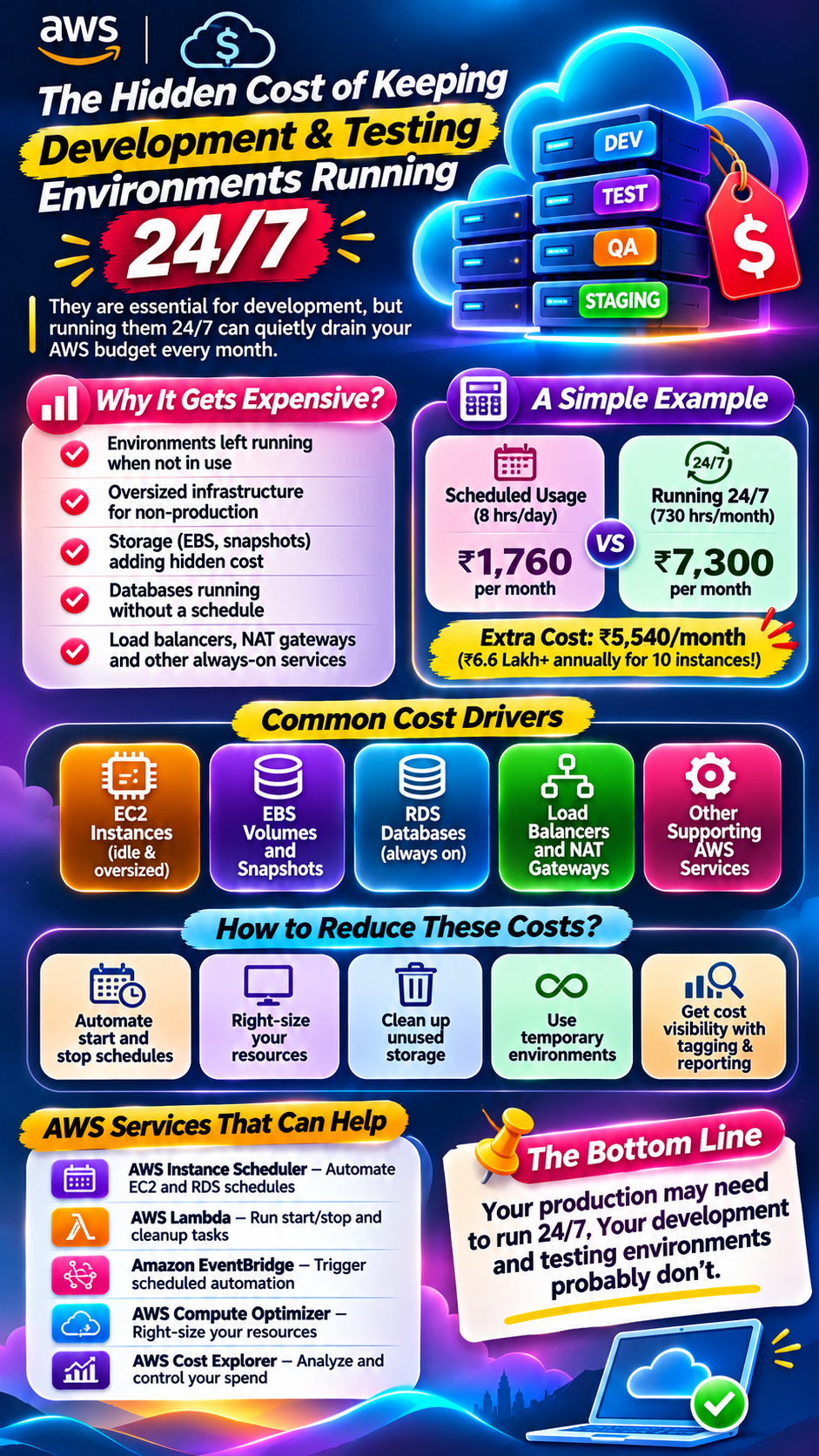
For predictable workloads, schedule non-production environments and batch-processing resources to shut down when they are not needed.
Batch Processing
Where latency requirements allow, process multiple inference requests together to improve resource utilization.
Monitoring GPU Utilization
Track GPU memory, utilization, request volume, and processing time to identify underused or overloaded resources.
On AWS, businesses can evaluate services such as Amazon EC2 GPU instances, Amazon SageMaker, and Amazon EKS depending on their AI architecture.
The right choice depends on the workload, model size, performance requirements, and operational capabilities.
4. Optimize Token Usage in Generative AI Applications
If your application uses large language models, token consumption deserves special attention.
Every unnecessary token can add cost at scale.
Imagine an application that sends a long system prompt, conversation history, and a large document to an AI model for every user request.
As the number of users grows, the repeated token consumption can become expensive.
Here are some practical ways to reduce it:
Remove unnecessary instructions from prompts.
Avoid sending the entire conversation history when only recent context is required.
Summarize older conversations.
Limit output length where appropriate.
Retrieve only relevant document sections.
Avoid repeated model calls for the same information.
Use structured outputs when they reduce unnecessary responses.
For example, instead of sending a 50-page document to an AI model for every question, use a retrieval-based approach to identify and send only the relevant sections.
This can reduce token consumption while improving response relevance.
5. Implement Caching to Avoid Repeated AI Processing
Not every user request needs a fresh model inference.
Some requests are repeated frequently.
For example:
Frequently asked questions.
Product descriptions.
Standard support responses.
Common documentation queries.
Repeated search results.
Previously generated summaries.
If your application processes the same request repeatedly, it may be paying for work that has already been completed.
Caching can help.
There are different approaches:
Exact-Response Caching: Store responses for identical requests and reuse them when appropriate.
Semantic Caching: Identify queries with similar meanings and reuse suitable previous results when accuracy and freshness requirements permit.
Embedding Caching: Store previously generated embeddings to avoid repeating the same embedding computation.
Application-Level Caching: Store frequently accessed data and intermediate results.
Technologies such as Amazon ElastiCache, Redis, and application-level caching systems can help implement these strategies.
However, caching must include appropriate expiration rules and data-isolation controls. Sensitive or personalized responses should never be reused across users incorrectly.
6. Use RAG Instead of Sending Everything to the AI Model
Retrieval-Augmented Generation (RAG) is an important architecture pattern for AI applications that need to answer questions using private or frequently updated information.
Without retrieval, an application may send large amounts of information directly to an AI model.
RAG takes a different approach.
It retrieves relevant information from an external knowledge source and provides only the useful context to the model.
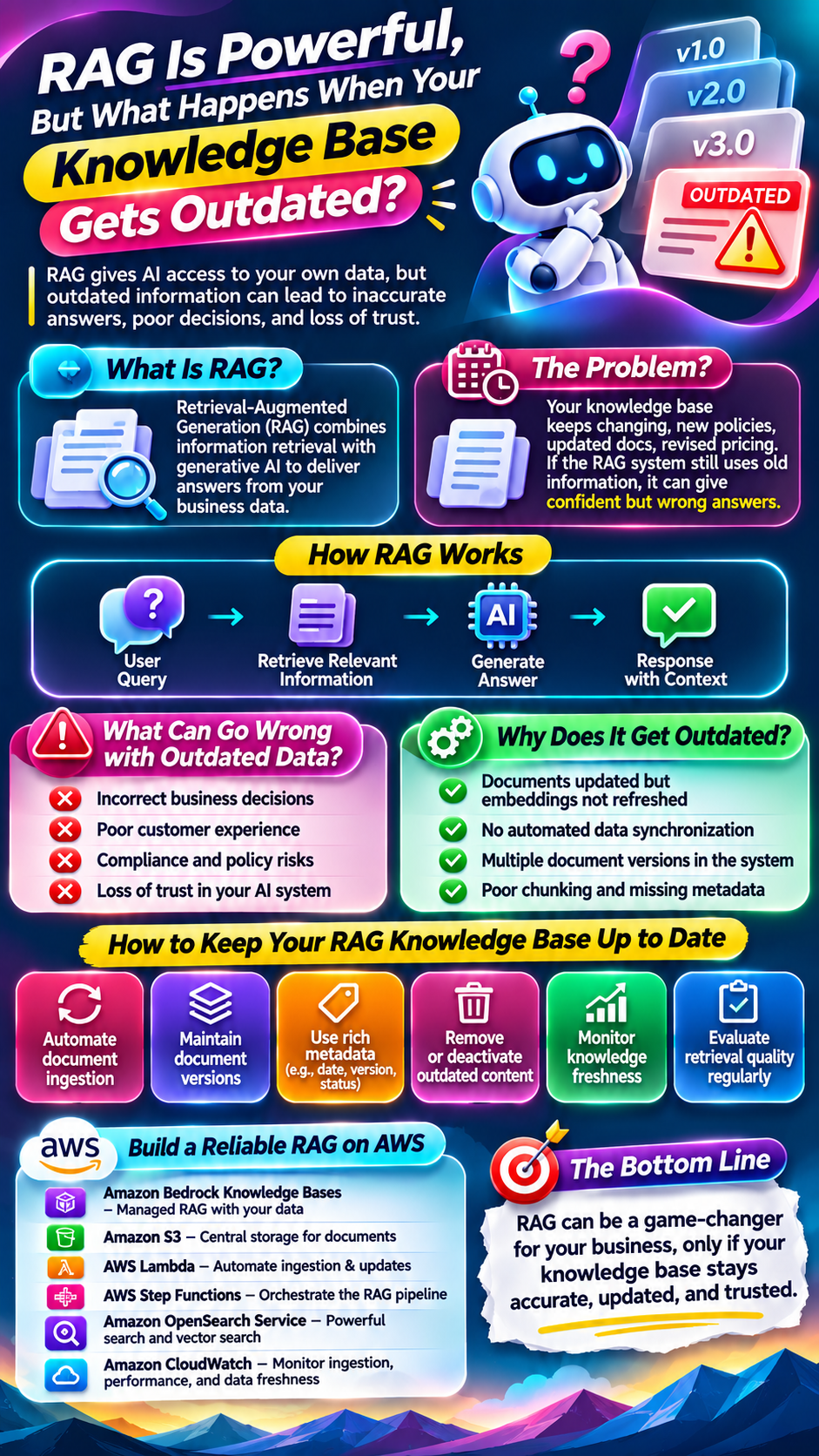
A typical RAG workflow looks like this:
Documents are uploaded and processed.
Documents are divided into smaller chunks.
Embeddings are generated.
Embeddings are stored in a vector database.
A user submits a question.
The system retrieves relevant information.
The selected context is passed to the AI model.
The model generates an answer based on that context.
This can reduce unnecessary context, improve relevance, and help businesses build AI applications using their own knowledge bases.
AWS offers services and infrastructure options that support these architectures, including Amazon Bedrock Knowledge Bases, Amazon OpenSearch Service, and Amazon S3.
RAG is not automatically cheaper in every situation. Embedding generation, retrieval, vector storage, and additional infrastructure also have costs.
The goal is to design the retrieval process efficiently.
7. Use Serverless and Autoscaling Architecture Where Appropriate
AI applications rarely experience perfectly consistent traffic.
A chatbot might receive a sudden spike in requests after a product launch. An AI document-processing application might experience heavy workloads during business hours and very little activity overnight.
Maintaining infrastructure for peak traffic throughout the day can waste money.
This is where autoscaling and serverless architecture can help.
Depending on the workload, companies can evaluate:
AWS Lambda for event-driven processing.
Amazon ECS with AWS Fargate for managed container workloads.
Amazon EKS with cluster and workload autoscaling.
Amazon EC2 Auto Scaling for compute capacity management.
Amazon SQS for managing asynchronous workloads.
For example, an AI document-processing platform can accept uploaded documents, place processing requests into a queue, and scale workers based on the backlog.
This helps separate incoming traffic from the actual processing workload.
However, serverless is not always the cheapest option. Long-running GPU workloads, continuously active services, and high-volume applications may benefit from dedicated or reserved compute capacity.
Choose architecture based on workload patterns rather than following a trend.
8. Separate Real-Time AI Workloads From Batch Processing
Not every AI task needs an immediate response.
Some applications require real-time inference, while others can process information in the background.
Treating every request as a real-time workload can increase infrastructure costs.
Consider an AI platform that performs:
Live chatbot responses.
Document summarization.
Bulk data classification.
Daily report generation.
Large-scale embedding creation.
Chatbot responses may require low latency.
But bulk document processing or report generation may not need immediate execution.
Separating these workloads allows businesses to optimize infrastructure independently.
For example:
Real-Time Workloads
Prioritize low latency.
Use appropriately provisioned inference resources.
Apply caching and request management.
Maintain capacity for expected demand.
Batch Workloads
Process jobs asynchronously.
Use scheduled execution.
Group requests where supported.
Run workloads during lower-demand periods when practical.
This approach helps prevent expensive real-time infrastructure from handling tasks that could be processed more economically in the background.
9. Monitor AI Costs With FinOps Practices
Traditional cloud cost monitoring often focuses on monthly infrastructure spending.
AI applications require deeper visibility.
Businesses should understand how much each feature, model, customer, and request costs.
This is where FinOps becomes important.
FinOps brings engineering, finance, and business teams together to manage cloud expenditure more effectively.
For AI applications, companies should monitor:
Cost per AI request.
Cost per customer.
Cost per successful task.
Input and output tokens.
Model usage by application feature.
GPU utilization.
Vector database storage costs.
Data transfer expenses.
Idle infrastructure.
Cost per generated document or completed workflow.
For example, if an AI SaaS product charges customers ₹999 per month, the company should understand how much AI inference, infrastructure, storage, and other services are consumed by each customer.
Without this visibility, a product can grow in users but struggle with profitability.
AWS tools such as AWS Cost Explorer, AWS Budgets, and AWS Cost and Usage Reports can support cloud cost visibility.
Teams can also use tagging, dashboards, and internal cost-allocation systems to understand spending by workload and business unit.
A useful metric is not simply how much your AI infrastructure costs. It is how much it costs to deliver one successful customer outcome.
10. Build Security and Cost Controls Into Your AI Architecture
Scaling an AI application is not only about performance and infrastructure.
Security and governance also matter.
Uncontrolled usage can increase costs and create operational risks.
For example, an application without proper rate limits may allow a single user or automated script to generate thousands of expensive requests.
Businesses should consider:
API rate limiting.
Authentication and authorization.
Request quotas.
Usage-based billing controls.
Budget alerts.
Secure secrets management.
Data encryption.
Logging and monitoring.
Model access policies.
Protection against prompt injection and abuse.
For AWS-based applications, services such as Amazon API Gateway, AWS IAM, AWS Secrets Manager, AWS WAF, and Amazon CloudWatch can help implement relevant controls.
Security and cost governance should be designed into the application from the beginning, not added after the first major cloud bill arrives.
11. Common Mistakes That Make AI Applications Expensive
Even well-funded companies can waste money when their AI infrastructure is not properly designed.
Here are some mistakes to avoid.
1. Using Large Models for Every Request
Simple tasks may not require expensive models. Use model selection and routing based on task complexity.
2. Keeping GPU Instances Idle
Monitor utilization and scale resources according to actual demand.
3. Sending Excessive Context to Models
Use prompt optimization, conversation summarization, and retrieval-based context.
4. Ignoring Repeated Requests
Implement suitable caching to avoid unnecessary inference.
5. Scaling Without Cost Visibility
Track costs by model, feature, customer, and workload.
6. Treating Every Workload as Real-Time
Use queues and batch processing when immediate execution is unnecessary.
7. Choosing Technology Before Understanding Requirements
A complex Kubernetes or GPU architecture may not be necessary for every AI application.
The best infrastructure is the one that meets your performance and reliability requirements without unnecessary operational overhead.
12. A Practical Roadmap to Scale AI Applications Cost-Effectively
If your AI application is growing, start with a structured optimization process.
StageWhat to doExpected benefit1. AssessReview cloud bills, model usage, and infrastructureUnderstand spending2. MeasureTrack cost per request and customerIdentify expensive workloads3. Optimize modelsUse appropriate models for different tasksReduce unnecessary inference costs4. Optimize promptsReduce unnecessary input and output tokensImprove token efficiency5. Implement cachingReuse suitable resultsAvoid repeated processing6. Optimize computeRight-size and autoscale resourcesImprove resource utilization7. Separate workloadsUse real-time and batch processing appropriatelyImprove cost efficiency8. Monitor continuouslySet budgets, alerts, and cost dashboardsPrevent unexpected spending
The important point is to optimize continuously.
AI models, usage patterns, infrastructure requirements, and pricing can change. An architecture that works today may need adjustments as the application grows.
13. The Future of AI Infrastructure: Performance and Cost Must Grow Together
AI adoption is accelerating, but businesses cannot build sustainable products by focusing only on model performance.
They must also consider infrastructure efficiency, customer economics, security, scalability, and operational reliability.
The companies that succeed will not necessarily be the ones spending the most on AI infrastructure.
They will be the ones making smarter decisions about how AI workloads are designed, deployed, monitored, and optimized.
From model routing and token optimization to GPU utilization, RAG, caching, autoscaling, and FinOps, every architectural decision can influence the long-term cost of an AI product.
As AI applications move from experimentation to production, cloud cost optimization will become an essential part of AI engineering.
Final Thoughts
Scaling an AI application should be a sign of business growth, not the beginning of an infrastructure cost crisis.
The answer is not to compromise on performance or choose the cheapest infrastructure available.
It is to understand your workloads, select the right models, optimize compute resources, reduce unnecessary processing, and monitor costs continuously.
Whether you're building an AI SaaS platform, an enterprise chatbot, or a generative AI product on AWS, cost efficiency should be part of your architecture from day one.
Don't just build AI applications that can scale. Build AI applications that can scale profitably.
Did you find this helpful?