5 AWS Security Mistakes That Hackers Love | Savishty
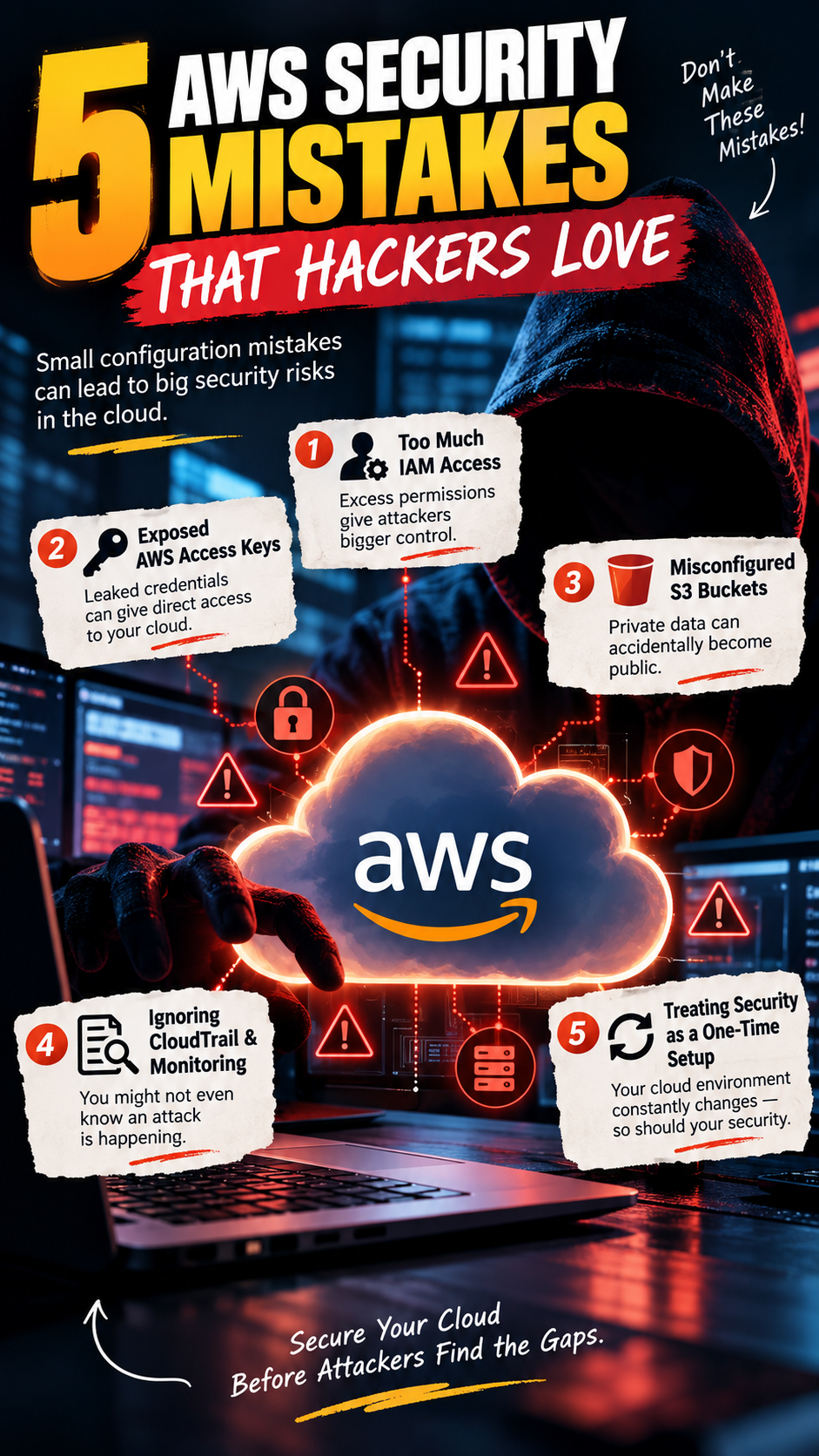
5 AWS Security Mistakes That Hackers Love
Cloud security rarely fails because someone deliberately wants to leave a system exposed.
More often, it happens because of a small configuration mistake.
A permission that was supposed to be temporary becomes permanent.
An old access key is never deleted.
An S3 bucket is accidentally exposed.
A developer gets more permissions than they actually need.
And suddenly, a simple mistake becomes a serious security problem.
AWS provides powerful security tools, but AWS itself cannot prevent every configuration mistake. The responsibility for securing workloads, identities, data, and configurations still sits largely with the organization.
Here are 5 AWS security mistakes attackers love — and what businesses can do about them.
---
1. Giving Users Too Much IAM Access
One of the most common AWS security problems is excessive permissions.
A developer may only need access to one S3 bucket, but instead receives broad permissions across multiple AWS services.
For example, permissions such as:
AdministratorAccess
can give a user extremely broad control over an AWS environment.
If that user's credentials are compromised, the attacker may inherit those same privileges.
Why is this dangerous?
Because an attacker doesn't necessarily need to exploit a complicated vulnerability.
They may simply use legitimate AWS permissions that were already granted to the compromised account.
The solution: Least Privilege
Users, applications, and services should receive only the permissions they actually need.
Instead of:
«"Give this application access to everything."»
Think:
«"What exact resources does this application need?"»
Regularly review IAM policies and remove unnecessary permissions.
Less access = less potential damage.
---
2. Leaving AWS Access Keys Exposed
Access keys are useful for programmatic access to AWS.
They're also extremely valuable to attackers.
Developers sometimes accidentally place credentials inside:
- GitHub repositories
- Source-code files
- Configuration files
- Docker images
- CI/CD pipelines
- Public repositories
- Shared documents
Once credentials are exposed, attackers can potentially use them to access AWS resources.
And the scary part?
The compromise may not be immediately obvious.
What should companies do?
Use temporary credentials wherever possible.
For workloads running on AWS, consider using IAM roles instead of long-lived access keys.
Organizations should also:
- Rotate credentials when necessary
- Remove unused access keys
- Monitor credential usage
- Scan repositories for secrets
- Never hard-code credentials into applications
A simple rule:
If a credential doesn't need to exist permanently, don't make it permanent.
---
3. Misconfigured S3 Buckets
S3 is one of AWS's most popular services.
It's also frequently involved in cloud security incidents because of misconfiguration.
An organization might unintentionally expose sensitive files through incorrect bucket or object permissions.
Those files could include:
- Customer information
- Internal documents
- Application backups
- Logs
- Financial information
- API credentials
- Database exports
The mistake
Teams sometimes focus heavily on application security while forgetting that the storage layer also needs protection.
Better approach
Use AWS security controls such as:
- S3 Block Public Access
- Bucket policies
- IAM policies
- Encryption
- Access logging
- Versioning where appropriate
- Regular permission reviews
And don't assume:
«"It's private because it's in AWS."»
Cloud storage is only as secure as its configuration.
---
4. Ignoring CloudTrail and Security Monitoring
Security isn't only about preventing attacks.
It's also about knowing when something suspicious happens.
Without proper monitoring, an organization may have no clear answer to questions such as:
Who accessed this resource?
When was the permission changed?
Who created this access key?
Which IP address made the request?
What happened immediately before the incident?
AWS provides services such as CloudTrail that can help organizations record and investigate API activity.
Security monitoring can also be integrated with broader logging and alerting systems.
Why does this matter?
Imagine an attacker obtains valid credentials.
There may be no obvious "hack."
Instead, they simply use the credentials to perform legitimate-looking AWS API calls.
Without logs and alerts, suspicious activity can remain unnoticed.
The takeaway
Prevention is important.
Visibility is equally important.
If you can't see what is happening in your environment, you can't respond effectively.
---
5. Treating Security as a One-Time Setup
This may be the biggest mistake of all.
A company secures its AWS environment during deployment and assumes the job is finished.
But cloud environments constantly change.
New:
- Developers join
- Applications are deployed
- IAM policies are modified
- Databases are created
- APIs are exposed
- Access keys are generated
- Third-party tools are connected
- Infrastructure is automated
Your security posture can therefore change every day.
A configuration that was secure six months ago may no longer be secure today.
Security needs continuous attention
Organizations should regularly review:
- IAM permissions
- Public exposure
- Security groups
- S3 permissions
- Access keys
- CloudTrail activity
- Vulnerabilities
- Logging
- Backup configurations
- Third-party integrations
Security should become part of the deployment process — not something checked after an incident.
---
The Bigger Lesson
AWS gives organizations an incredibly powerful cloud platform.
But powerful infrastructure also creates responsibility.
Most cloud security incidents don't necessarily begin with a sophisticated zero-day exploit.
Sometimes they begin with something much simpler:
An overly permissive IAM policy.
An exposed credential.
A public storage resource.
Missing monitoring.
Or a configuration nobody reviewed.
That's why cloud security isn't just an IT problem.
It's an ongoing business responsibility.
---
AWS Security Checklist
Before calling your AWS environment secure, ask:
✅ Are IAM permissions based on least privilege?
✅ Are unused access keys removed?
✅ Are credentials kept out of source code?
✅ Is S3 public access blocked where appropriate?
✅ Is CloudTrail enabled and monitored?
✅ Are suspicious activities generating alerts?
✅ Are security groups regularly reviewed?
✅ Are sensitive workloads encrypted?
✅ Are cloud configurations continuously reviewed?
✅ Do developers and infrastructure teams follow secure deployment practices?
If several answers are "No", your AWS environment may have security gaps worth addressing.
---
Final Thought
Cloud security isn't about making your AWS environment impossible to attack.
That's unrealistic.
It's about making unauthorized access harder, easier to detect, and less damaging when it happens.
The strongest AWS security strategy isn't one giant security tool.
It's a combination of:
Least privilege + secure credentials + proper configuration + continuous monitoring + regular reviews.
Because in the cloud, one small configuration mistake can become a very expensive problem.
Secure the cloud before you have to secure the incident.
Did you find this helpful?