AWS Security Hub vs GuardDuty: What Does Your Business Need? | Savishty
Introduction: Is Your Business Really Secure on AWS?
Moving your business infrastructure to the cloud offers flexibility, scalability, and cost efficiency. But it also introduces new security challenges.
From suspicious login attempts and unauthorized access to malware activity and exposed cloud resources, businesses need to continuously monitor their AWS environments.
This is where two important AWS security services come into the picture: Amazon GuardDuty and AWS Security Hub.
Both services help organizations strengthen their cloud security, but they solve different problems.
So, which one should your business choose? Do you need GuardDuty, Security Hub, or both?
Let's break it down.
1. What Is Amazon GuardDuty?
AWS GuardDuty for Organizations
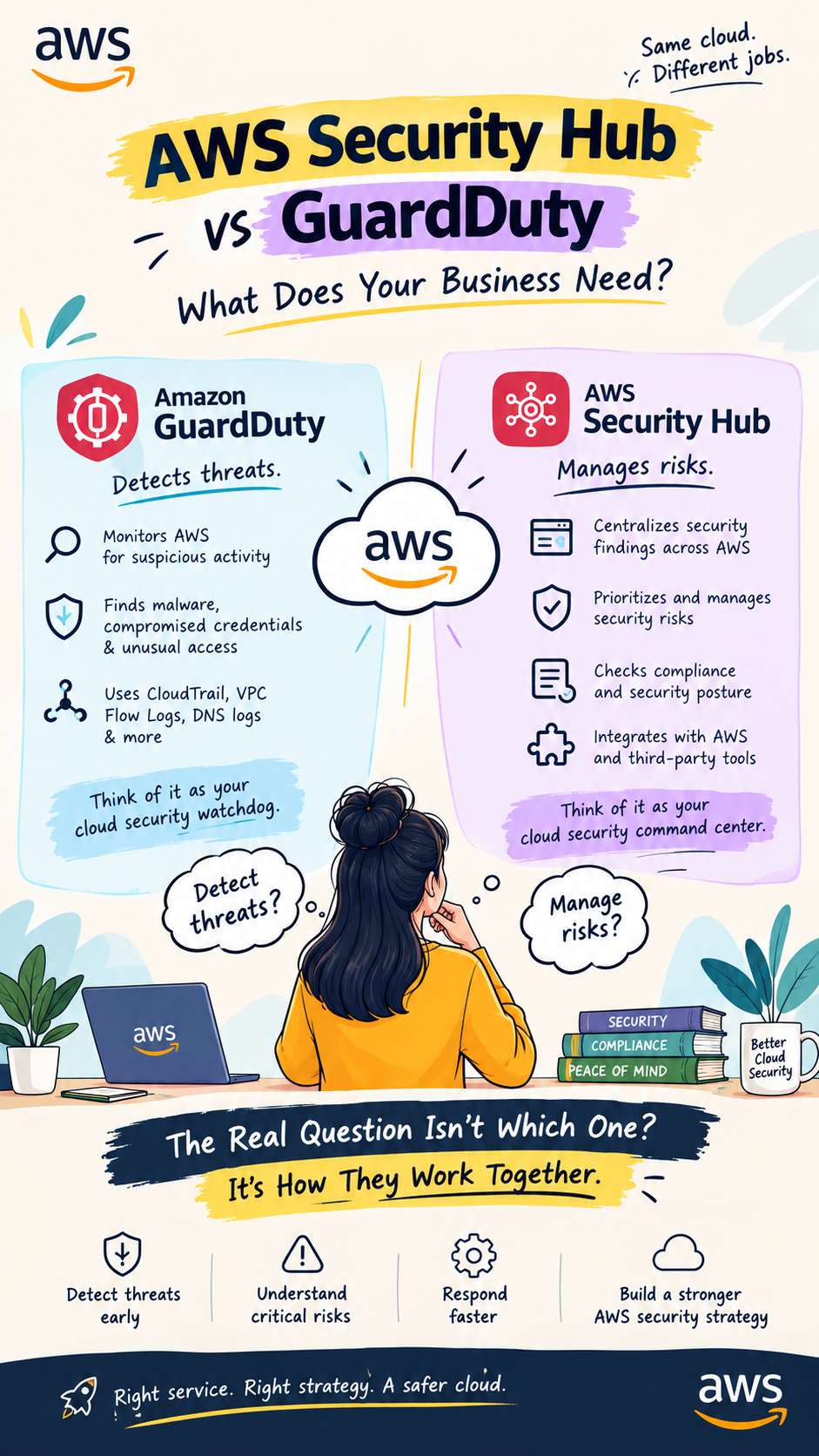
Amazon GuardDuty is a managed threat detection service that continuously monitors your AWS environment to identify suspicious activities and potential security threats.
Think of GuardDuty as a security monitoring system that watches your cloud infrastructure for unusual behavior.
It analyzes multiple data sources, including:
AWS CloudTrail management events.
VPC Flow Logs.
DNS query logs.
Amazon EKS audit logs and other supported workload activity.
Malware-related signals from supported resources.
What can GuardDuty detect?
Suspicious API calls and unauthorized access attempts.
Unusual login behavior and compromised credentials.
Potential malware activity.
Communication with malicious IP addresses or domains.
Cryptocurrency mining activity.
Suspicious network traffic and reconnaissance attempts.
Example: Imagine someone gains access to an employee's AWS credentials and starts accessing resources from an unusual location. GuardDuty can identify suspicious activity and generate a security finding.
Its primary purpose is simple: Detect potential threats before they cause serious damage.
2. What Is AWS Security Hub?
AWS Security Hub helps businesses gain centralized visibility into their AWS security posture.
Instead of checking multiple security services individually, organizations can use Security Hub to bring security findings together and understand which risks need attention.
Its capabilities include:
Centralized security findings.
Security posture management.
Security control assessments.
Compliance checks against supported standards.
Prioritization of security issues.
Integration with supported AWS and third-party security tools.
Example: Suppose your company operates multiple AWS accounts. Some resources have public exposure, certain security controls are failing, and GuardDuty has identified suspicious activity.
Security Hub helps bring these findings together so your security team can prioritize and investigate them from a central location.
Its primary purpose is: Understand, prioritize, and manage security risks across your cloud environment.
3. AWS Security Hub vs GuardDuty: Key Differences
Although both services contribute to cloud security, their core responsibilities are different.
Feature
Amazon GuardDuty
AWS Security Hub
Primary purpose
Threat detection
Unified security management
Main focus
Suspicious activities
Security risks and exposures
Monitoring
Continuous threat monitoring
Security posture and findings analysis
Threat intelligence
Yes
Uses integrated threat signals
Compliance visibility
Not its primary role
Supported security standards and controls
Security findings
Generates threat findings
Correlates and prioritizes findings
Best for
Detecting attacks
Managing and responding to security risks
The simplest way to understand the difference:
GuardDuty = Detect threats.
Security Hub = Understand risks and prioritize action.
Importantly, modern AWS Security Hub goes beyond simply collecting alerts. Its unified capabilities correlate security signals from services such as GuardDuty, Amazon Inspector, and Amazon Macie to help identify critical exposures.
AWS Security Hub+2
4. Can AWS Security Hub and GuardDuty Work Together?
Moving to the cloud? Here is how you can integrate SIEM on AWS - About Amazon India
Absolutely! In fact, using both services together can provide a more comprehensive cloud security strategy.
Consider this real-world business scenario:
Your company operates an e-commerce application on AWS. It stores customer information, processes payments, and uses multiple cloud resources.
Now imagine three security issues occur:
Suspicious activity: Someone accesses an AWS account using compromised credentials.
Configuration risk: An important storage resource is unintentionally exposed.
Software vulnerability: An application workload contains a known security vulnerability.
Here's how the services help:
GuardDuty: Detects suspicious activity and generates threat findings.
Security Hub: Combines and correlates relevant security signals, helping identify and prioritize critical risks.
Amazon Inspector: Identifies supported software vulnerabilities and unintended exposure.
Amazon Macie: Helps discover and protect sensitive data stored in Amazon S3.
The result? Your security team gets better visibility into potential threats and can focus on the issues that pose the greatest risk.
AWS supports integrations between these services to strengthen security monitoring and response.
AWS Security Hub+2
5. Which AWS Security Service Does Your Business Need?
The right choice depends on your business size, infrastructure, security requirements, and available budget.
Choose Amazon GuardDuty if:
You want continuous threat detection.
Your business runs production workloads on AWS.
You need to identify suspicious account activity.
You want visibility into potential malware and compromised credentials.
You need managed threat detection without maintaining your own detection infrastructure.
Choose AWS Security Hub if:
Your business manages multiple AWS accounts.
You need centralized security visibility.
Your team wants to prioritize critical security findings.
You need to assess your cloud security posture.
You want to correlate security findings and streamline remediation.
Choose both if:
You operate business-critical applications.
You store sensitive customer or financial information.
You manage complex or multi-account AWS environments.
You need both threat detection and centralized risk management.
You want a more mature cloud security operations strategy.
Our recommendation: For businesses running important workloads on AWS, using GuardDuty alongside Security Hub is generally a stronger approach than relying on either service alone.
6. What About AWS Security Costs?
Security is important, but businesses also need to understand the financial impact of implementing security tools.
Both services have pricing models that depend on enabled capabilities and usage.
Amazon GuardDuty pricing may depend on:
Volume of AWS CloudTrail events analyzed.
Volume of VPC Flow Logs and DNS query data analyzed.
Enabled protection plans and workload activity.
Supported data sources and monitoring features.
AWS Security Hub pricing may depend on:
Enabled security capabilities.
Security posture assessments and resource coverage.
Findings and security analytics.
Integrated services and selected plans.
AWS also offers a unified Security Hub pricing model for its included capabilities, with additional options for threat analytics. Pricing and availability can vary by region and configuration.
Before implementation, businesses should review the latest official pricing pages:
Pro tip: Don't enable every security feature without understanding your workload requirements. Start by identifying your security risks, selecting the required services, and monitoring your AWS costs regularly.
AWS+1
7. Best Practices for Strengthening AWS Cloud Security
Regardless of which service you choose, implementing the right security practices is equally important.
Here are seven recommendations for businesses:
Enable multi-factor authentication (MFA): Add another layer of protection to privileged and user accounts.
Follow least-privilege access: Give employees and applications only the permissions they actually need.
Monitor security findings regularly: Don't ignore suspicious alerts or unresolved security issues.
Secure AWS storage: Review S3 bucket permissions and prevent unintended public access.
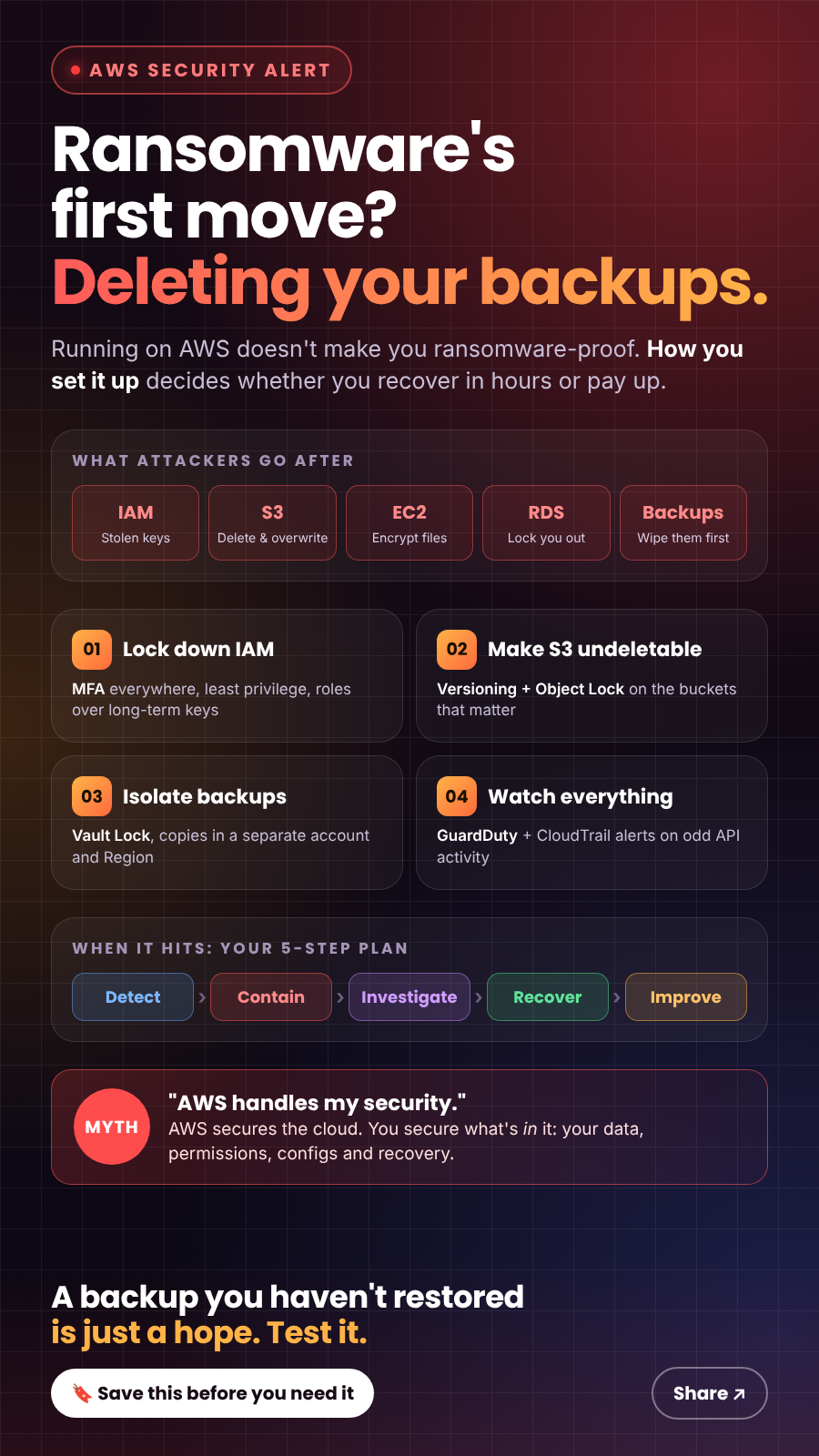
Use multiple security layers: Combine threat detection, vulnerability management, and security posture monitoring.
Automate incident response: Use supported integrations and workflows to speed up investigation and remediation.
Review your security posture: Conduct regular assessments and address high-priority risks.
A strong cloud security strategy is not just about detecting attacks. It's about reducing exposure, responding quickly, and continuously improving your security environment.
8. Final Verdict: Security Hub or GuardDuty?
Both services play important roles in protecting AWS environments, but they are not direct competitors.
GuardDuty focuses on identifying suspicious activities and potential threats, while Security Hub provides a broader view of security risks, helping businesses prioritize and respond to critical issues.
For startups and smaller businesses, GuardDuty can be a practical starting point for managed threat detection.
For growing enterprises managing multiple AWS accounts and workloads, Security Hub can provide valuable centralized visibility and risk prioritization.
For organizations that want a stronger cloud security foundation, combining both services is the smarter approach.
Remember: Cloud security is not a one-time setup. It requires continuous monitoring, regular assessments, and proactive risk management.
Frequently Asked Questions (FAQs)
1. Is AWS Security Hub the same as GuardDuty?
No. GuardDuty detects suspicious activities and potential threats, whereas Security Hub helps manage, correlate, and prioritize security risks across your AWS environment.
2. Can I use GuardDuty without Security Hub?
Yes. GuardDuty works independently and can detect potential threats without Security Hub.
3. Does AWS Security Hub detect malware?
Security Hub can provide visibility into malware-related findings through integrations with services such as GuardDuty. GuardDuty provides dedicated malware protection capabilities for supported resources.
4. Is AWS Security Hub necessary for small businesses?
Not always. Small businesses can start with security controls and threat detection based on their requirements. Security Hub becomes increasingly valuable as infrastructure and security operations grow.
5. Which service is better for enterprise cloud security?
Both complement each other. GuardDuty provides threat detection, while Security Hub helps organizations understand and prioritize risks across their cloud environment.
Conclusion
As businesses continue moving their applications, databases, and workloads to AWS, cloud security must become a business priority.
Choosing between Security Hub and GuardDuty shouldn't be about picking a winner. It should be about understanding what each service does and how they can work together.
Detect threats early. Identify critical risks. Protect your cloud infrastructure.
That's how businesses build a stronger AWS security strategy.
Did you find this helpful?