How to Protect AWS Workloads Against Ransomware Attacks | Savishty
How to Protect AWS Workloads Against Ransomware Attacks: A Practical Security Guide
Ransomware attacks are no longer limited to traditional IT infrastructure. Cloud environments are also attractive targets for cybercriminals, especially when organizations rely on cloud storage, virtual machines, databases, and business-critical applications.
For companies running workloads on Amazon Web Services (AWS), a ransomware incident can lead to data encryption, service disruption, financial losses, and reputational damage.
The good news? AWS provides several security services and built-in capabilities that can help organizations reduce ransomware risks, detect suspicious activity, and recover their workloads.
But simply hosting applications on AWS does not automatically make them ransomware-proof. Security depends on how your cloud environment is configured, monitored, and managed.
Let's explore how businesses can protect their AWS workloads against ransomware attacks.
1. Understand How Ransomware Targets AWS Environments
Ransomware is a type of malicious software that prevents users from accessing their data or systems, often by encrypting files and demanding payment for restoration.
In AWS environments, attackers may target:
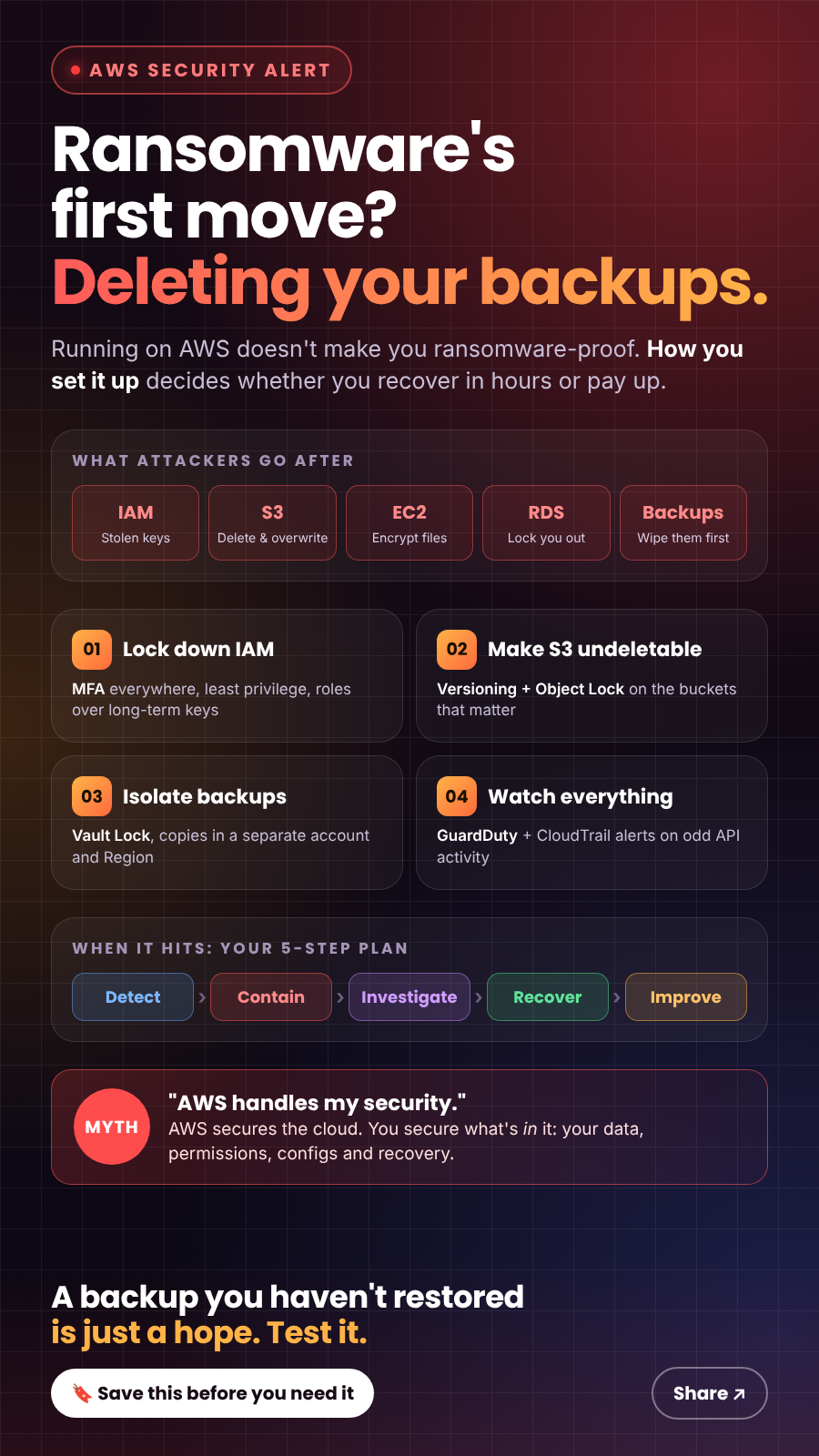
Amazon S3 buckets: To steal, encrypt, delete, or manipulate stored data.
Amazon EC2 instances: To compromise virtual machines and encrypt application files.
Amazon RDS databases: To disrupt access to critical business information.
IAM credentials: To gain unauthorized access and escalate privileges.
Backup environments: To delete or compromise recovery copies before launching an attack.
Common entry points include stolen credentials, exposed access keys, unpatched software, misconfigured storage permissions, and compromised administrative accounts.
Understanding these attack paths is the first step toward building an effective defense.
2. Strengthen Identity and Access Management (IAM)
Compromised credentials are one of the major ways attackers gain access to cloud environments.
If an attacker obtains an administrator's credentials, they may be able to access sensitive resources, modify configurations, or delete backups.
AWS Identity and Access Management (IAM) helps organizations control who can access their AWS resources.
Security best practices:
Follow the principle of least privilege.
Avoid using the root user for everyday operations.
Enable multi-factor authentication (MFA), especially for privileged accounts.
Use IAM roles instead of long-term access keys wherever possible.
Rotate credentials when necessary and remove unused access keys.
Regularly review IAM policies and permissions.
Use AWS IAM Access Analyzer to identify unintended external access.
Why it matters: Even if an attacker compromises one account, carefully designed permissions can limit how far they can move within your cloud environment.
3. Protect Amazon S3 Data Against Ransomware
Amazon S3 is widely used for storing backups, application data, documents, and business records. That makes it an important security priority.
Attackers with sufficient permissions may attempt to delete objects, overwrite files, or compromise stored information.
AWS offers several features to improve S3 data protection.
Recommended security controls:
Enable S3 Versioning to preserve previous versions of objects.
Use S3 Object Lock where appropriate to prevent protected objects from being deleted or overwritten during a retention period.
Enable encryption at rest using server-side encryption.
Block public access unless public access is genuinely required.
Apply restrictive bucket policies.
Use AWS CloudTrail data events to monitor S3 object-level activity.
Configure alerts for suspicious deletion or access patterns.
S3 Versioning and Object Lock can be especially valuable during recovery. However, they must be configured correctly, and access permissions must be protected to prevent attackers from disabling security controls.
4. Build Secure and Isolated Backup Systems
Backups are one of the most important defenses against ransomware.
If production systems become encrypted or unavailable, reliable backups can help organizations restore operations without depending on attackers.
However, keeping backups in the same environment with identical permissions can create another risk. Attackers who compromise production credentials may also attempt to compromise backup copies.
How to strengthen AWS backups:
Use AWS Backup to centrally manage backup policies.
Configure backup schedules according to business recovery requirements.
Enable AWS Backup Vault Lock where supported and appropriate.
Use cross-account backup copies to separate recovery data from production accounts.
Consider cross-Region backups for additional resilience.
Restrict backup deletion permissions.
Regularly test backup restoration.
A backup is only useful if it can actually be restored. Organizations should periodically test recovery procedures instead of assuming that successful backup jobs guarantee successful recovery.
5. Use AWS Security Services for Threat Detection
Preventing every attack is difficult. That's why continuous monitoring and threat detection are essential.
AWS provides multiple security services that help organizations identify suspicious activity and respond before an incident causes significant damage.
Important AWS security services:
AWS ServiceHow It HelpsAmazon GuardDutyDetects suspicious activity and potential threats across AWS accounts and workloadsAWS Security HubProvides centralized visibility into security findings and security postureAmazon InspectorIdentifies vulnerabilities in supported workloads and resourcesAWS CloudTrailRecords account activity and API events for investigationAmazon CloudWatchMonitors logs, metrics, and configured alarmsAWS ConfigTracks resource configurations and identifies compliance issues
For example, GuardDuty can identify suspicious API activity, unusual access patterns, and indicators of potential compromise.
Security teams can use these findings to investigate threats and trigger appropriate response procedures.
6. Secure EC2 Instances and Operating Systems
Amazon EC2 instances often run business applications, databases, and internal services. If an attacker compromises an instance, they may attempt to encrypt files, steal information, or move to other systems.
Follow these security practices:
Regularly patch operating systems and applications.
Avoid exposing administrative ports such as SSH and RDP directly to the internet.
Use AWS Systems Manager Session Manager for controlled instance access.
Configure security groups with minimum necessary access.
Deploy endpoint protection and malware detection where appropriate.
Encrypt EBS volumes.
Monitor system activity and suspicious processes.
Remove unnecessary software and services.
Organizations should also maintain secure machine images and regularly scan workloads for vulnerabilities.
7. Implement Network Segmentation
Network segmentation helps limit the movement of attackers after an initial compromise.
Instead of allowing every workload to communicate freely, organizations should divide their AWS infrastructure into controlled network zones.
For example:
Keep public-facing applications separate from internal systems.
Place databases in private subnets.
Restrict inbound and outbound traffic.
Use security groups and network ACLs appropriately.
Monitor unusual network communication.
Use AWS Network Firewall where centralized network inspection is required.
A properly segmented network can make it harder for ransomware to spread from one compromised system to other critical workloads.
8. Encrypt Sensitive Data
Encryption protects sensitive information by making it unreadable without the appropriate decryption keys.
AWS provides encryption capabilities across many services.
Organizations can use:
AWS Key Management Service (AWS KMS) for managing encryption keys.
Amazon S3 server-side encryption for stored objects.
EBS encryption for EC2 storage volumes.
RDS encryption for supported database storage.
TLS to protect data moving between systems.
However, encryption alone does not stop ransomware. If attackers gain access to the necessary permissions or encryption keys, they may still compromise data.
Protecting key-management permissions is therefore just as important as enabling encryption.
9. Create an Incident Response Plan
Even with strong security controls, organizations need a clear response plan for ransomware incidents.
A delayed response can increase the damage and make recovery more difficult.
A practical AWS ransomware response plan should include:
Step 1: Detect
Identify suspicious activity through GuardDuty findings, CloudTrail events, security alerts, and workload monitoring.
Step 2: Contain
Isolate affected EC2 instances, restrict compromised credentials, and block suspicious access without destroying evidence.
Step 3: Investigate
Review logs, identify affected resources, determine the attack timeline, and understand how the attacker gained access.
Step 4: Recover
Restore clean workloads and data from trusted backups. Validate the environment before returning services to production.
Step 5: Improve
Patch vulnerabilities, update IAM permissions, strengthen monitoring, and review the incident to prevent similar attacks.
Organizations should document responsibilities and test their incident response procedures regularly.
10. Follow the AWS Shared Responsibility Model
One common misconception is that AWS automatically handles all aspects of cloud security.
In reality, security responsibilities are shared between AWS and the customer.
AWS is responsible for security of the cloud, including the underlying infrastructure, physical facilities, and foundational services.
Customers are responsible for security in the cloud, including their data, identity permissions, application configurations, operating systems, and network settings, depending on the services they use.
For example:
AWS secures the physical infrastructure.
Customers manage access permissions and credentials.
AWS provides security capabilities and services.
Customers configure and monitor those capabilities.
Customers remain responsible for protecting their data and recovery processes.
Understanding this model helps businesses avoid security gaps caused by incorrect assumptions.
AWS Ransomware Protection Checklist
Before considering your AWS environment secure, review these essential controls:
Enable MFA for privileged users.
Apply least-privilege IAM policies.
Review and remove unused access keys.
Enable S3 Versioning for critical buckets.
Evaluate S3 Object Lock for important data.
Configure isolated and protected backups.
Enable Amazon GuardDuty.
Monitor API activity using CloudTrail.
Patch EC2 instances and applications regularly.
Encrypt sensitive data and storage volumes.
Restrict unnecessary network access.
Test backup restoration and incident response procedures.
Final Thoughts: Cloud Security Needs Continuous Attention
Ransomware protection is not a one-time configuration task. It requires continuous monitoring, strong access controls, secure backups, regular updates, and a well-tested recovery strategy.
AWS provides powerful security tools, but businesses must configure and use them correctly to protect their workloads.
The most effective approach is to build security into every layer of your cloud infrastructure — from IAM permissions and network architecture to storage protection and disaster recovery.
Because when a ransomware attack happens, the real question is not just how to stop it. It's how quickly your business can recover.
Did you find this helpful?