The Hidden Costs of Not Moving to the Cloud: What Is Your Business Really Paying For? | Savishty
Your Server Isn't Free. You're Just Paying for It Differently.
Here's a question most businesses don't ask often enough:
How much is our current infrastructure actually costing us?
Not just the server invoice.
Not just the electricity bill.
Not just the annual maintenance contract.
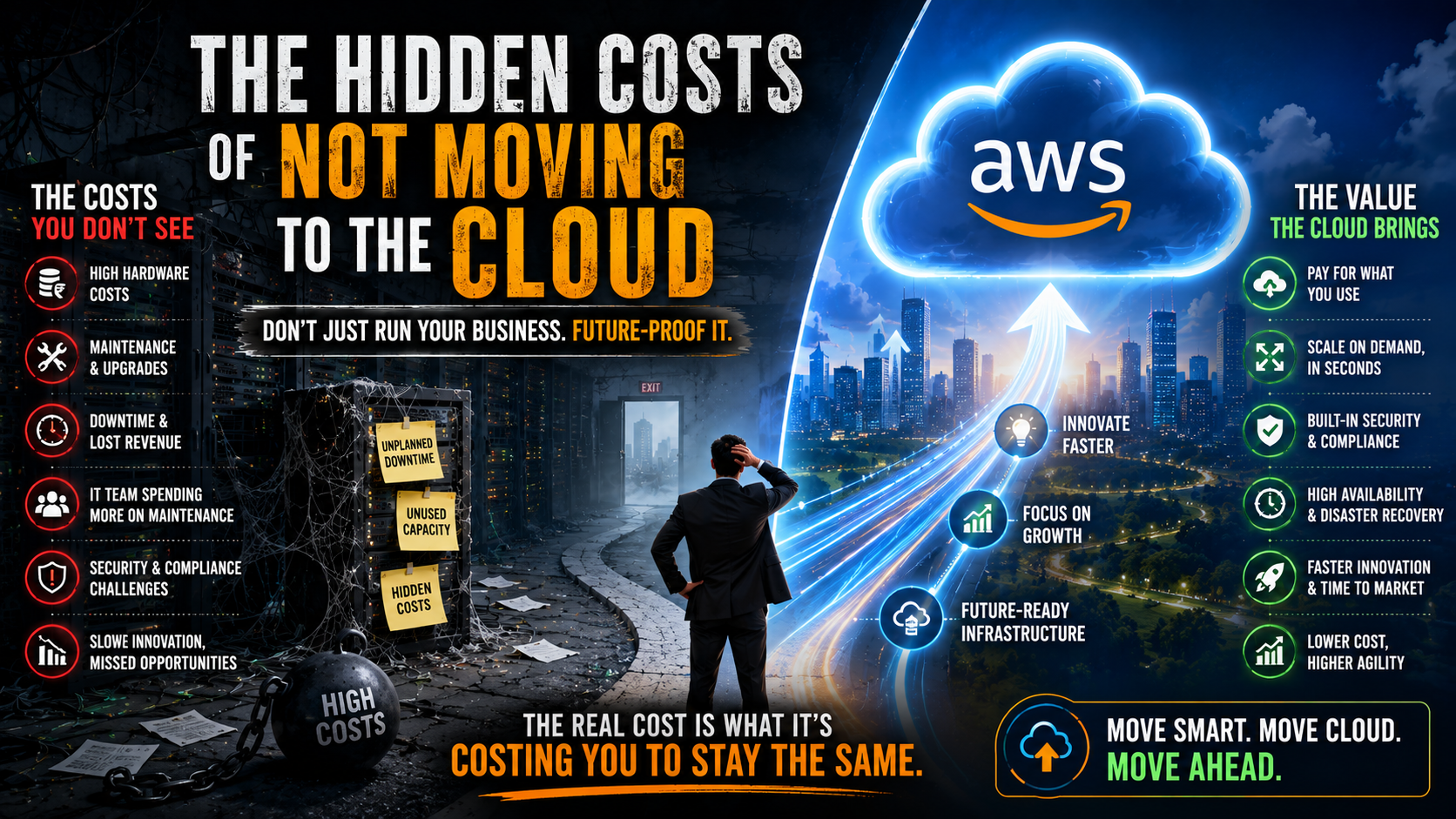
The real cost.
The hours your IT team spends fixing things.
The revenue lost during downtime.
The hardware sitting at 20% capacity.
The upgrade you've been postponing.
The opportunity your developers couldn't pursue because they were busy maintaining infrastructure.
That's where things get interesting.
Because sometimes, the infrastructure that looks cheaper on paper is actually costing your business much more.
The "We Already Have Servers" Trap
A company buys a server.
It works.
Everyone is happy.
Then three years pass.
The server needs an upgrade.
Storage is running low.
Performance is slowing down.
Licenses need renewing.
A component fails.
The IT team starts discussing replacement options.
Another large capital expense appears.
And the cycle starts again.
This is one of the biggest problems with traditional infrastructure:
You don't just buy it once.
You keep paying for it.
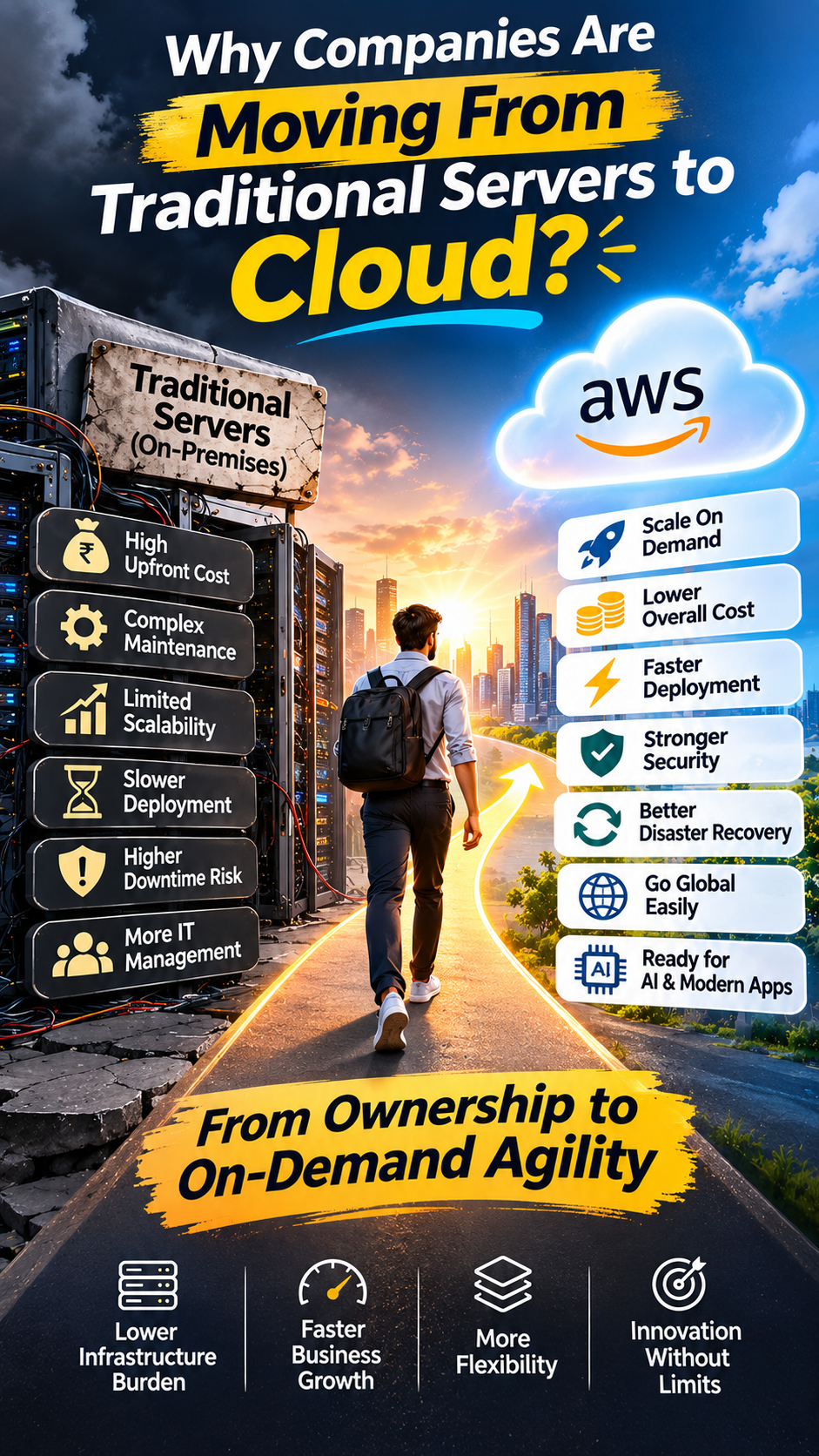
1. You're Paying for Capacity You Don't Always Use
Imagine your business needs enough computing power for its busiest day of the year.
So you buy infrastructure capable of handling that peak.
What happens during the other 364 days?
A large part of that capacity may sit unused.
You still paid for it.
Cloud computing approaches the problem differently.
Instead of buying infrastructure based entirely on your maximum expected demand, cloud resources can be scaled according to workload requirements.
That's one reason platforms such as AWS have become so attractive to growing businesses.
2. Downtime Has a Price Tag
Your website goes down for an hour.
It doesn't look like much on a spreadsheet.
But let's add it up.
Customers can't place orders.
Employees can't access applications.
Sales teams can't work.
Support tickets increase.
Marketing campaigns may continue sending traffic to a broken website.
And some customers may simply go somewhere else.
The obvious cost is lost revenue.
The less obvious cost is lost trust.
A customer who experiences repeated problems may not give you another chance.
Downtime isn't just an IT problem. It's a customer experience problem.
3. Your IT Team Could Be Doing More Valuable Work
This is one of the most overlooked costs.
Your engineers aren't free.
If skilled employees spend hours:
Restarting servers
Installing patches
Managing storage
Troubleshooting hardware
Monitoring infrastructure
Planning capacity
Recovering failed systems
that's time they're not spending on:
New products
Automation
Customer experience
Data analytics
AI initiatives
Business innovation
You may think you're saving money by keeping everything in-house.
But you're also paying people to maintain infrastructure instead of building the next thing.
4. Hardware Doesn't Wait for Your Budget
Servers eventually become outdated.
And hardware upgrades rarely arrive at a convenient time.
You might suddenly need:
More storage.
More processing power.
Better networking.
Additional backup capacity.
New security equipment.
The problem?
Your business can't always wait three months for procurement and installation.
Cloud infrastructure changes that equation.
Resources can often be provisioned much faster, allowing businesses to respond to changing requirements without waiting for a physical hardware cycle.
5. Growth Becomes a Technology Problem
Here's the irony.
Businesses spend years trying to grow.
Then growth happens—and their infrastructure becomes the bottleneck.
Traffic increases.
Users increase.
Data increases.
Transactions increase.
The system starts struggling.
Instead of asking:
"How do we get more customers?"
the team starts asking:
"Can our servers handle more customers?"
That's not where you want your business strategy to be.
Your infrastructure should support growth—not determine how much growth you can handle.
6. Your Disaster Recovery Plan May Be More Expensive Than You Think
What happens if your primary server room becomes unavailable?
Fire.
Flood.
Power failure.
Hardware failure.
Cyberattack.
Human error.
A serious disaster recovery setup may require duplicate infrastructure, backup systems, secondary locations, networking, maintenance, and regular testing.
Cloud platforms can provide additional options for backup, replication, recovery, and geographically distributed infrastructure.
The important point isn't that cloud makes disasters disappear.
It doesn't.
It gives businesses more flexible ways to prepare for them.
7. Security Has a Hidden Cost Too
Security isn't something you buy once.
It requires continuous attention.
Updates.
Monitoring.
Access management.
Threat detection.
Backups.
Encryption.
Compliance.
Employee awareness.
As threats evolve, your security strategy has to evolve too.
Cloud providers such as AWS invest heavily in the underlying infrastructure and provide a wide range of security services.
But there's an important catch:
Moving to the cloud doesn't automatically make your business secure.
You still need the right architecture, permissions, monitoring, policies, and people.
The cloud gives you powerful tools.
You still need to use them properly.
8. Your Data Is Becoming More Expensive to Manage
Businesses are generating more data than ever.
Customer interactions.
Sales records.
Application logs.
Videos.
Documents.
Analytics.
AI training data.
Keeping all of this data on traditional infrastructure can create storage and management challenges.
Cloud storage allows organizations to scale storage more flexibly and build systems around data backup, analytics, archiving, and recovery.
And once your data is easier to access and process, something else becomes possible:
You can actually use it.
9. Innovation Gets Delayed
This might be the most expensive hidden cost of all.
Suppose your product team has an idea for an AI-powered feature.
The idea is good.
The customers want it.
But the infrastructure team says:
"We need new servers."
Then comes procurement.
Configuration.
Security review.
Testing.
Deployment.
Weeks pass.
Maybe months.
By the time you're ready, your competitor has already launched something similar.
The cost wasn't the server.
The cost was the time.
And in technology, time is a competitive advantage.
10. The Opportunity Cost Is Hard to See
This is where the conversation becomes bigger than cloud.
Businesses are very good at measuring expenses.
They're not always as good at measuring opportunities they missed.
What could you have launched?
Which customers could you have served?
How much faster could your developers have moved?
How quickly could you have entered a new market?
How much experimentation could your team have done?
Those numbers won't appear on your infrastructure invoice.
But they still matter.
Does This Mean Everyone Should Move to the Cloud?
No.
Cloud isn't automatically the right answer for every workload.
Some organizations have regulatory requirements, specialized hardware, legacy applications, predictable workloads, or other reasons to maintain certain on-premise systems.
And cloud migration itself has costs.
There can be migration effort, application modernization, training, security planning, architecture changes, and ongoing cloud management.
The goal shouldn't be:
"Move everything to the cloud."
The better goal is:
"Put each workload where it makes the most business sense."
Sometimes that's AWS.
Sometimes it's another cloud.
Sometimes it's on-premise.
And sometimes it's a hybrid environment.
So, How Do You Know If You're Paying Too Much for Staying On-Premise?
Ask your team these questions:
How much do we spend maintaining infrastructure every year?
How many hours does our IT team spend on maintenance?
What does one hour of downtime cost us?
How quickly can we scale during a traffic spike?
How long would it take us to recover from a major outage?
How much unused infrastructure are we paying for?
How quickly can we launch a new application?
Are our current systems helping or slowing down our AI and data initiatives?
The answers may surprise you.
The Cloud Isn't About Getting Rid of Servers
That's an outdated way of looking at it.
The bigger shift is about how businesses think about technology.
From:
"How much hardware do we need?"
to:
"What does the business need right now?"
From:
"Can our infrastructure handle this?"
to:
"How quickly can we scale?"
From:
"How do we keep the servers running?"
to:
"What can our team build next?"
That's the real value of cloud.
Final Thought
The biggest cloud migration mistake isn't moving too slowly.
It's assuming that staying where you are costs nothing.
It does.
You pay through hardware.
You pay through maintenance.
You pay through downtime.
You pay through unused capacity.
You pay through slower releases.
You pay through missed opportunities.
And sometimes, you pay through customers who simply stop waiting.
The cloud isn't free.
But neither is staying on-premise.
The real question is:
Which option gives your business more value for every rupee you invest in technology?
That's the conversation worth having.
Frequently Asked Questions
Is moving to the cloud always cheaper than on-premise infrastructure?
No. Cloud isn't automatically cheaper. The financial outcome depends on workload patterns, architecture, usage, licensing, migration costs, and how well the cloud environment is managed.
What are the hidden costs of on-premise infrastructure?
Common hidden costs include hardware replacement, maintenance, power and cooling, unused capacity, IT staff time, downtime, disaster recovery, security management, and delayed projects.
Can small businesses benefit from cloud migration?
Yes. Cloud services can allow smaller businesses to access scalable infrastructure without making large upfront investments in physical hardware.
What is the biggest benefit of cloud migration?
For many businesses, the biggest benefit isn't simply cost reduction. It's flexibility—the ability to scale, experiment, launch, and respond to changing business needs much faster.
Is AWS suitable for cloud migration?
AWS offers a broad range of services for computing, storage, databases, networking, security, analytics, backup, disaster recovery, and AI. Whether it's the right choice depends on the organization's specific workloads and requirements.
Did you find this helpful?